Mastering the art of completing daily reports within a one-hour timeframe can significantly enhance productivity and streamline your work processes. By adopting effective planning and utilizing strategic tools, you can ensure that reports are accurate, concise, and delivered promptly, even in busy schedules.
This guide explores practical techniques for efficient preparation, time management, data collection, and the use of technology to help you produce comprehensive daily reports swiftly. Implementing these methods will enable you to meet tight deadlines without compromising quality.
Efficient Planning and Preparation for Daily Reports
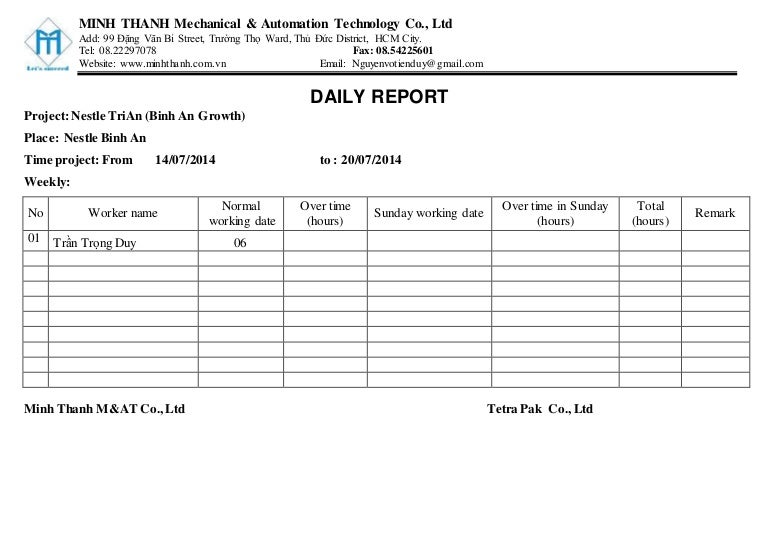
Achieving the goal of completing daily reports within an hour hinges on meticulous planning and strategic preparation. By organizing your workflow, anticipating report content, and implementing systematic processes, you can significantly reduce the time spent on report compilation. This section explores effective methods to prepare report content in advance, techniques for organizing key data points, and a practical checklist that streamlines the reporting process.
Implementing these strategies ensures that daily reporting becomes a swift, accurate, and less stressful activity. It allows professionals to focus more on analyzing data and less on searching for information, ultimately enhancing productivity and data accuracy.
Methods to Prepare Daily Report Content in Advance
Proactively preparing report content involves establishing routines and leveraging available resources to gather relevant data beforehand. This approach minimizes last-minute efforts and ensures that reports are comprehensive and accurate. The following techniques are essential:
- Set a Daily Data Collection Schedule: Allocate specific times during the day to collect and update key metrics. For example, review sales figures during lunch hours or end-of-day summaries to ensure data is fresh and complete.
- Maintain an Updated Data Dashboard: Utilize digital dashboards or spreadsheets that automatically update with real-time data. This eliminates manual data entry and reduces errors, providing instant access to current information.
- Standardize Report Templates: Develop templates with predefined sections and placeholders for recurring data points. Once created, these templates expedite the report creation process and ensure consistency across daily reports.
By integrating these practices into daily routines, report writers can focus on analysis rather than data collection, leading to quicker report compilation and improved accuracy.
Techniques to Organize Key Data Points Before Reporting
Efficient organization of data prior to report drafting is pivotal for fast and accurate report generation. Proper structuring not only saves time but also enhances clarity and readability. Consider the following techniques:
- Use Categorization and Tagging: Segment data into logical groups such as sales, operations, customer feedback, or project milestones. Tagging data points facilitates quick retrieval and reduces search time during report writing.
- Create Data Summaries and Highlights: Summarize large datasets into concise key figures, trends, and anomalies. Use visual aids like charts or graphs to represent data trends swiftly, making complex information easier to interpret.
- Leverage Data Validation and Checks: Regularly validate data entries to ensure accuracy before report compilation. Establish validation rules in spreadsheets to flag inconsistencies or errors automatically.
Organized data sets serve as a foundation for rapid report creation, enabling professionals to compile insights swiftly and confidently.
Step-by-Step Checklist for Preparing Reports Quickly
Implementing a clear, step-by-step checklist ensures that no critical element is overlooked and that the reporting process remains streamlined. The following checklist provides a structured approach:
- Gather and Verify Data: Collect all relevant data points from dashboards, spreadsheets, or other sources. Cross-check data for accuracy and completeness.
- Review Key Metrics and Trends: Analyze recent data for significant changes, anomalies, or emerging patterns that should be highlighted in the report.
- Organize Data into Sections: Categorize information into predefined sections such as Sales Performance, Operational Updates, or Customer Feedback.
- Draft Summary Highlights: Write brief summaries and key findings for each section, focusing on actionable insights and significant metrics.
- Insert Visual Aids: Incorporate charts, graphs, or tables to represent data visually, enhancing clarity and facilitating quick understanding.
- Review and Edit: Check the report for clarity, accuracy, and coherence. Make necessary adjustments to ensure succinctness and relevance.
- Finalize and Distribute: Save the report in the designated format, attach any supplementary documents if needed, and distribute to stakeholders promptly.
Following this checklist can dramatically reduce the time spent on report finalization, ensuring that daily reports are both timely and comprehensive.
Time Management Strategies to Complete Reports in 1 Hour
Efficiently managing your time during the report-writing process is crucial to meet daily deadlines without sacrificing accuracy or quality. Implementing structured time management strategies allows you to allocate specific periods for each section of the report, minimize distractions, and ensure a smooth workflow. This approach not only enhances productivity but also reduces stress associated with last-minute work, enabling you to complete comprehensive reports within a strict 60-minute window.
By adopting effective time management practices, you create a disciplined environment that promotes focus and efficiency. These strategies involve planning your report segments, setting clear time boundaries, and minimizing interruptions. The following detailed procedures and a sample schedule will guide you through optimizing your workflow to consistently produce thorough reports within one hour.
Procedures for Allocating Specific Time Blocks
Dividing the report preparation process into well-defined segments ensures that each part receives adequate attention without overextending your time. Begin by outlining the essential components of your report, such as data collection, analysis, drafting, and review. Assign specific time frames to each task based on their complexity and importance, which keeps you on track and prevents over-investment in any single section.
- Initial Planning (5-10 minutes): Review the report template, clarify objectives, and gather necessary data.
- Data Analysis and Summarization (15-20 minutes): Focus on analyzing the data thoroughly, then condense findings into concise points.
- Drafting the Report (20-25 minutes): Write the main content, incorporating key insights, structured logically and clearly.
- Review and Final Edits (10-15 minutes): Proofread for accuracy, coherence, and formatting; make last-minute adjustments.
Adhering to these time blocks ensures a balanced approach, preventing procrastination and last-minute rushes, thus maintaining report quality within the allotted hour.
Approaches to Minimize Distractions During Reporting
Distractions significantly impede workflow and can extend the time required to complete reports. To foster a focused environment, it is essential to create conditions that reduce interruptions and promote concentration. Implementing specific approaches can help maintain your momentum throughout the reporting process.
- Designate a Quiet Workspace: Choose a location free from noise, interruptions, and non-essential activities, ensuring a professional environment conducive to deep focus.
- Disable Notifications: Turn off email alerts, social media notifications, and other digital distractions during report writing sessions.
- Set Clear Boundaries: Communicate your working schedule to colleagues or team members, and request minimal interruptions during designated periods.
- Use Focus Tools: Employ techniques such as the Pomodoro Technique—25-minute work intervals followed by short breaks—to sustain concentration and prevent fatigue.
- Prepare in Advance: Have all necessary data, templates, and reference materials ready before starting, minimizing the need to search for information mid-task.
These methods help create a disciplined environment, enabling you to dedicate uninterrupted time to each report section and significantly improve overall efficiency.
Sample Schedule for Completing Reports Within 60 Minutes
Implementing a structured schedule is vital for adhering to the one-hour deadline. The following sample timetable demonstrates how to allocate time effectively, balancing task completion with review and adjustments:
| Time Interval | Task | Description |
|---|---|---|
| 0:00 – 0:05 | Initial Planning | Review objectives, gather necessary data, Artikel report sections. |
| 0:05 – 0:20 | Data Analysis & Summarization | Analyze data sets, identify key points, and prepare summaries. |
| 0:20 – 0:45 | Drafting the Report | Write the main body, ensuring clarity, logical flow, and completeness. |
| 0:45 – 0:55 | Initial Review and Edits | Proofread, check for accuracy, and make necessary revisions. |
| 0:55 – 1:00 | Final Checks & Submission | Finalize formatting, ensure all sections are complete, and submit the report. |
Sticking closely to this schedule, along with disciplined time management and distraction minimization, will enable you to consistently complete comprehensive and accurate daily reports within just one hour.
Streamlining Data Collection and Entry
Efficient data collection and entry are critical components in completing daily reports swiftly and accurately. Automating repetitive tasks and organizing data input methods can significantly reduce time spent on manual entry, allowing professionals to focus on analysis and reporting rather than data gathering. By implementing structured approaches, organizations can optimize their reporting workflows and ensure consistency across daily submissions.Accurate and timely data collection sets the foundation for reliable reports.
When data entry processes are streamlined, teams experience fewer errors and faster turnaround times, which are essential when aiming to complete reports within an hour. Leveraging technology to automate and organize data input not only improves efficiency but also enhances data integrity, making it easier to generate comprehensive and precise reports every day.
Automating Repetitive Data Gathering Tasks
Automation plays a vital role in reducing manual effort in data collection. Repetitive tasks such as extracting data from multiple sources—like spreadsheets, databases, emails, or cloud applications—can be handled through various tools and scripts, saving valuable time.
- Use of Data Integration Tools: Platforms such as Zapier, Microsoft Power Automate, or Integromat facilitate the automatic transfer of data between applications. For example, automating the extraction of sales figures from CRM systems into a central report reduces manual copying and pasting.
- Scripting and Macros: Writing simple scripts in languages like Python or VBA macros in Excel can automate data parsing, cleaning, and aggregation processes. For instance, a macro can automatically format raw data into report-ready tables with minimal user intervention.
- Scheduled Data Imports: Setting up scheduled imports from databases or cloud storage ensures the latest data is always available for reports without manual download or upload steps.
Automating data gathering reduces manual errors, decreases processing time, and ensures the latest information is always used for reporting.
Organizing Methods for Quick Data Entry Using Templates and Forms
Structured templates and digital forms are essential tools for quick and consistent data entry. They minimize confusion, eliminate unnecessary steps, and promote standardization across daily reports.
- Pre-designed Templates: Use standardized report templates with predefined fields and formats. Templates in spreadsheet software like Excel or Google Sheets help users input data uniformly, facilitating faster compilation and comparison of data points.
- Custom Forms: Digital forms created through tools like Google Forms, Microsoft Forms, or specialized reporting platforms can streamline data collection from multiple team members. These forms can include drop-down menus, date pickers, and validation rules to ensure accuracy and completeness.
- Auto-fill and Data Validation: Incorporate data validation rules and auto-fill features within templates to prevent errors and speed up data entry. For example, dropdown lists for status updates or predefined options for categories can accelerate input and maintain consistency.
Using well-designed templates and forms reduces data entry time and minimizes errors, ensuring quick, reliable updates for daily reports.
Integrating Tools for Faster Data Compilation
The integration of multiple tools creates a seamless workflow, allowing data to flow automatically from collection points to the final report. Proper integration reduces the need for manual data transfer, consolidating information quickly and accurately.
- APIs and Data Connectors: Utilizing Application Programming Interfaces (APIs) or built-in data connectors enables direct data transfers between systems. For example, connecting your CRM and reporting software allows real-time data updates without manual download.
- Unified Data Platforms: Using platforms like Power BI, Tableau, or Google Data Studio centralizes data visualization and compilation, pulling data from multiple sources into a single dashboard for rapid analysis and reporting.
- Automated Data Refresh: Scheduling automatic data refreshes in reporting tools ensures the latest information is always available, reducing the manual steps needed to update reports.
Effective integration of tools accelerates data compilation, enhances accuracy, and streamlines the process from raw data to comprehensive daily reports.
Utilizing Templates and Standardized Formats
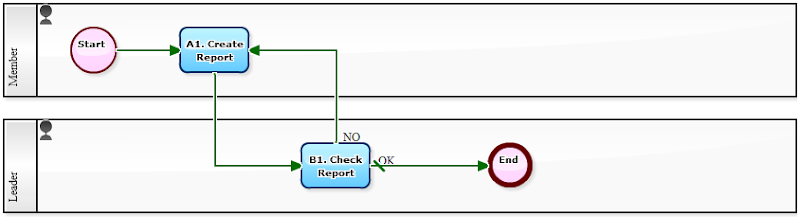
Efficiently completing daily reports within a limited timeframe often hinges on the effective use of templates and standardized formats. These tools not only streamline the reporting process but also ensure consistency, clarity, and professional presentation. Implementing well-designed templates allows team members to focus on content rather than formatting, ultimately saving valuable time and reducing errors.A structured template serves as a foundation for various types of reports, making routine documentation faster and more manageable.
By establishing a set of predefined formats, teams can adapt reports to specific needs quickly, fostering uniformity across different departments or projects. Customization of these templates further enhances their utility, allowing for adjustments based on daily priorities, project scope, or stakeholder requirements.
Creating and Implementing Report Templates with Up to 4 Columns
Creating effective templates involves designing a clear, concise layout that can be reused with minimal adjustments. Here are key steps to develop such templates:
- Identify the core sections of your report, such as Task Description, Status, Issues, and Next Steps. These form the basis of your columns.
- Use spreadsheet or document software to set up a table with up to four columns, each labeled according to the identified sections:
Example column labels: Task Description, Progress Status, Challenges, Upcoming Actions.
| Task Description | Progress Status | Challenges | Upcoming Actions |
|---|---|---|---|
| Update client database | Completed | Data migration issues | Verify data accuracy |
| Prepare monthly report | In Progress | Delayed data input | Follow up with data team |
- Save this layout as a template file that can be duplicated daily. Use features like “Save as Template” in software such as Microsoft Word, Excel, or Google Sheets.
- Ensure the template is easy to fill out, with clear prompts and consistent formatting, to facilitate quick data entry.
Standardized Reporting Formats for Different Types of Reports
Standardization enhances efficiency by providing clear, familiar structures for various report types, including progress updates, incident reports, or performance summaries. Here are common formats with their typical components:
Consistency in format allows team members to quickly locate relevant information, reducing reporting time and improving data comprehension.
- Progress Update Report: A four-column table with Task, Status, Blockers, and Next Steps. Example: Tracking ongoing projects with quick updates on each task.
- Incident Report: Columns might include Incident Description, Location, Immediate Action Taken, and Follow-up Required. This format ensures all critical details are captured uniformly.
- Performance Summary: Use columns for Metric, Target, Actual, and Variance to provide a quick snapshot of key performance indicators.
Customizing Templates to Suit Daily Needs
While templates offer a standardized approach, daily reporting demands flexibility to address unique circumstances. Customization procedures include:
- Adding or removing columns based on specific daily priorities. For example, include a “Priority Level” column on particularly busy days.
- Adjusting column widths, fonts, or colors to improve readability and accommodate additional data points.
- Embedding dropdown menus or checkboxes within columns to streamline data entry and maintain consistency.
- Creating multiple template versions tailored for different report types or audiences, such as internal team updates versus client-facing summaries.
- Maintaining a master template document and saving localized copies daily, ensuring updates to the master are reflected in all subsequent templates.
Leveraging Technology and Tools for Speed
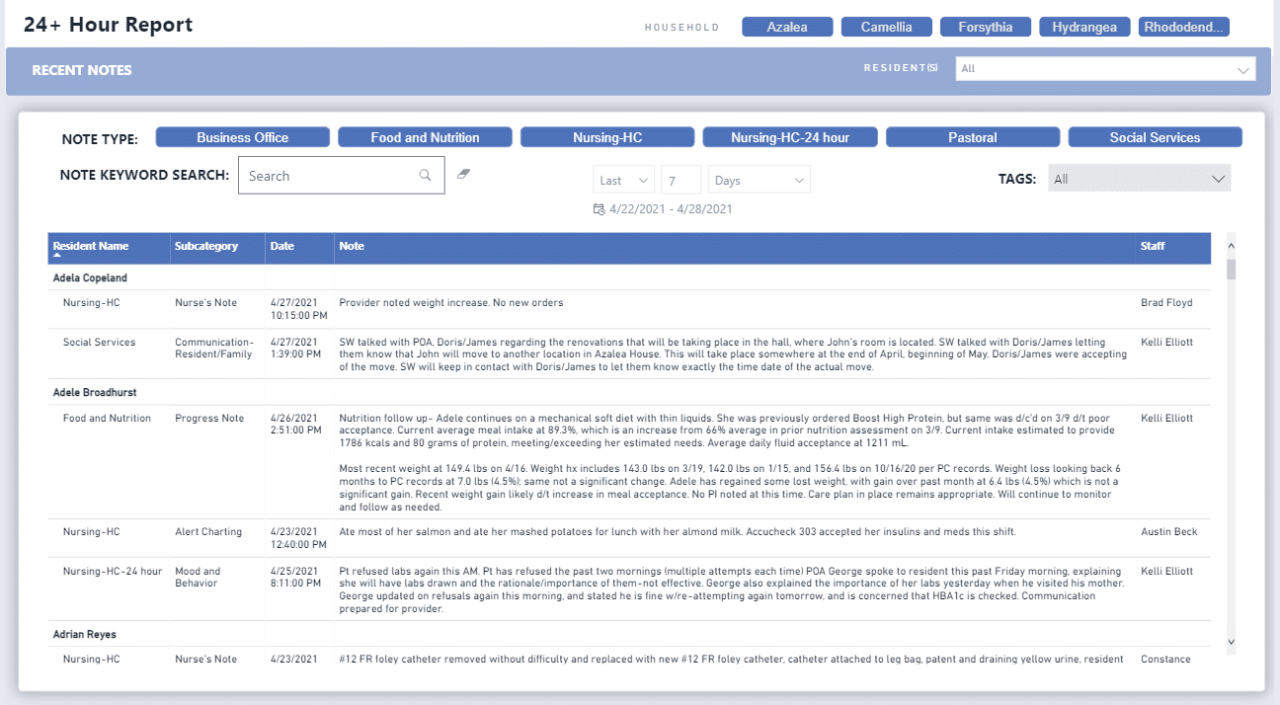
Efficiently completing daily reports within an hour is greatly enhanced by the strategic use of technology and specialized tools. Modern software options not only speed up data collection and analysis but also improve accuracy and consistency. By utilizing the right digital resources, professionals can transform a traditionally manual task into a streamlined, automated process, freeing valuable time for analysis and decision-making.Integrating advanced reporting tools with existing workflows ensures instant access to real-time data, minimizes manual errors, and supports rapid report generation.
Properly leveraging these technologies is crucial for teams aiming to meet tight deadlines without compromising report quality or detail.
Software Options Facilitating Rapid Report Generation
Choosing the appropriate software is fundamental to quick and reliable report completion. Several platforms are designed specifically to automate data compilation, visualization, and report formatting:
- Microsoft Power BI: Offers powerful data visualization and dashboard creation capabilities that connect to multiple data sources, enabling instant updates and interactive reports.
- Tableau: Known for its user-friendly interface, Tableau enables rapid development of visual reports and dashboards that can be refreshed with live data feeds.
- Google Data Studio: A cloud-based solution allowing easy integration with Google Sheets, Analytics, and other Google services for quick report assembly and sharing.
- Zoho Reports: Provides customizable dashboards and automated data synchronization, making it suitable for diverse organizational needs.
- Excel with Power Query and Power Pivot: When utilized efficiently, Excel’s advanced features facilitate rapid data transformation, aggregation, and report creation, especially when combined with templates and macros.
Each of these tools supports automation, real-time data updates, and customizable report templates, significantly reducing manual effort and time.
Designing a Guide to Using Dashboards and Reporting Tools Effectively
To maximize efficiency, organizations need a clear, step-by-step guide for utilizing dashboards and reporting tools:
- Set Up Data Connections: Establish secure, automated links between data sources (databases, cloud services, spreadsheets) and reporting tools to ensure instant updates.
- Customize Dashboards: Design dashboards tailored to specific reporting needs, highlighting key metrics and visualizations that require frequent monitoring.
- Use Templates and Presets: Develop and save report templates that include standard formats, filters, and layouts to expedite creation for daily reports.
- Automate Refresh Schedules: Configure automatic data refreshes at set intervals to ensure reports always reflect the latest information.
- Train Team Members: Provide thorough training on tool functionalities, shortcut features, and best practices to ensure all users can generate reports swiftly and accurately.
This structured approach ensures that the reporting process is consistent, quick, and reliable, leveraging technology to its fullest potential.
Methods to Synchronize Data Sources for Instant Updates
Synchronizing data sources is crucial for real-time reporting, enabling instant reflection of new data without manual intervention. Several methods are effective in achieving seamless data synchronization:
Automated Data Integration: Use APIs and middleware platforms like Zapier, Integromat, or Microsoft Power Automate to connect disparate data sources, ensuring automatic updates when changes occur.
- Database Connectivity: Link reporting tools directly to databases (SQL, Oracle, etc.) with live connection settings to fetch the latest data instantly.
- Cloud Data Storage: Employ cloud services such as Google Sheets, OneDrive, or SharePoint that support real-time collaboration and automatic synchronization across devices and teams.
- ETL Processes: Implement Extract, Transform, Load (ETL) workflows that automatically extract data from various sources, transform it into a consistent format, and load it into your reporting environment.
- Real-Time Data Feeds: Integrate live data streams from IoT devices, social media APIs, or transactional systems directly into dashboards for up-to-the-minute insights.
Ensuring that data sources are synchronized minimizes manual updates, reduces errors, and allows daily reports to be generated swiftly and accurately, often in real time. This approach is particularly valuable in dynamic environments such as sales, operations, and customer service where timely information is critical.
Writing Clear and Concise Report Content
Effective reporting hinges on the ability to communicate key information clearly and efficiently. When time is limited, such as completing reports within an hour, mastering techniques to summarize achievements and issues succinctly becomes essential. This segment offers practical strategies to craft report content that is both straightforward and impactful, ensuring your reports effectively inform stakeholders without unnecessary verbosity.Clear and concise report writing involves distilling complex information into easily digestible summaries.
The goal is to present achievements, challenges, and recommendations in a manner that allows readers to grasp the essential points swiftly. Employing a logical structure and prioritizing critical information enhances clarity, saving valuable time during review and comprehension.
Summarizing Achievements and Issues Succinctly
In the context of daily reports, highlighting accomplishments and problems efficiently is vital. Use summary statements that encapsulate key results without elaborate explanations. Focus on quantitative data, milestones reached, or significant changes, avoiding overly detailed narratives. For example, instead of detailing every task completed, specify, “Achieved 95% of daily targets, including completing five client proposals and resolving 20 support tickets.” This approach offers a snapshot that communicates success and workload effectively.
Highlighting Critical Information Using Bullet Points or Tables
To emphasize vital data in a quick-reference format, utilize bullet points and tables. Bullet points are ideal for listing multiple achievements or issues, providing visual clarity and ease of reading. For example:
- Closed 15 sales calls, resulting in 3 new client contracts
- Identified and resolved 5 critical system errors
- Completed training modules for 10 team members
Tables, on the other hand, organize complex data such as performance metrics, project timelines, or resource allocation, making comparisons straightforward. For instance, a table summarizing daily project status can display columns like Task, Status, Responsible Person, and Comments, enabling quick assessment at a glance.
Reviewing and Editing Reports for Clarity
Efficient review and editing processes are essential for maintaining clarity within tight time frames. Start by reading the report aloud; this helps identify awkward phrasing or ambiguous statements. Focus on eliminating redundancies and simplifying complex sentences. Prioritize clarity over richness of detail, trimming any non-essential information that does not contribute to the report’s primary purpose.Implementing a checklist can streamline the editing process:
- Ensure all key achievements and issues are clearly highlighted.
- Verify that bullet points and tables accurately reflect the data.
- Check for consistent terminology and formatting.
- Confirm that the report is free of grammatical errors and typos.
- Ensure the report flows logically, with a clear beginning, middle, and end.
Additionally, leveraging tools such as spell checkers and readability analyzers can help refine the report swiftly, ensuring it is polished and comprehensible before submission.
Practical Tips and Tricks for Quick Reporting
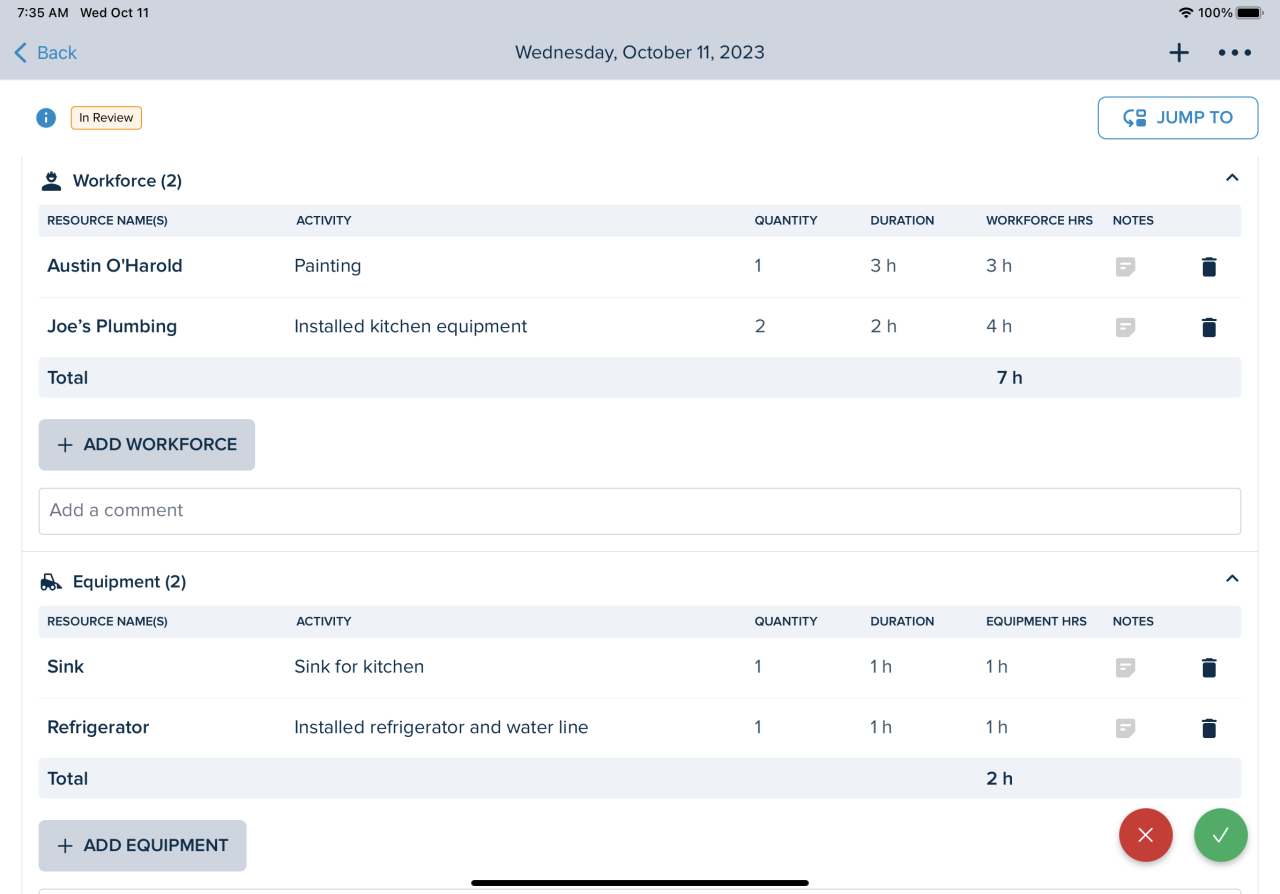
Efficient reporting within a strict one-hour timeframe requires not only good planning but also the application of practical shortcuts and mindset strategies. Implementing these tips can significantly reduce the time spent on each step of the reporting process, allowing you to deliver comprehensive reports swiftly without sacrificing accuracy or clarity. This section explores effective shortcuts, focus-maintenance techniques, and do’s and don’ts that optimize your reporting speed and quality.Maintaining focus and avoiding perfectionism are crucial elements for timely report completion.
Perfectionism can lead to unnecessary revisions and delays, while sustained focus ensures steady progress. Combining practical shortcuts with disciplined focus strategies ensures you meet your deadline while producing high-quality reports.
Shortcuts and Keyboard Shortcuts to Save Time
Utilizing keyboard shortcuts and quick-access features can dramatically accelerate report creation. For example, mastering common shortcuts such as Ctrl+C and Ctrl+V for copying and pasting reduces mouse dependence. Focusing on shortcuts specific to your reporting tools—like Alt+Tab to switch between windows, or specific commands in spreadsheet software—enables faster data manipulation. For those working in Excel or Google Sheets, key combinations such as Ctrl+Shift+L to toggle filters, Ctrl+Arrow keys to navigate large datasets swiftly, or Ctrl+Z to undo mistakes quickly, are invaluable.
Leveraging auto-fill features, and using predefined formulas or functions (e.g., SUM, AVERAGE), reduces manual calculations. Custom macros or scripts can automate repetitive tasks, saving additional minutes.
“Mastering keyboard shortcuts transforms hours of manual work into minutes of efficient task execution.”
Strategies for Maintaining Focus and Avoiding Perfectionism
Staying focused during a one-hour reporting window requires disciplined time management and mental framing. Set clear priorities for what needs to be included, and accept that the goal is good enough rather than flawless. Use timers or Pomodoro techniques—working in focused 25-minute intervals with short breaks—to maintain high concentration levels and prevent burnout. Avoiding perfectionism involves recognizing when a task is sufficiently complete.
Instead of obsessing over minor details, allocate last-minute time for quick reviews, focusing on critical accuracy rather than exhaustive perfection. Having a checklist of essential report components helps keep you aligned with your objectives, preventing unnecessary detours into polishing inconsequential details.
Do’s and Don’ts When Aiming for a 1-Hour Report Completion
To stay on track and maximize efficiency, adhere to specific guidelines that distinguish productive habits from counterproductive ones. Here are key do’s and don’ts:
- Do: Use ready-made templates and standardized formats to minimize formatting time.
- Do: Prioritize data collection sources that are most reliable and quickest to access.
- Do: Keep a checklist of report sections to maintain a clear workflow.
- Do: Limit the number of revisions and avoid over-editing; aim for a polished but timely report.
- Don’t: Get bogged down by minor formatting or aesthetic details; these can be quickly standardized later if needed.
- Don’t: Overanalyze or second-guess data entries; trust your initial inputs once verified.
- Don’t: Ignore time constraints; constantly monitor your progress to stay within the 60-minute limit.
- Don’t: Forget to save regularly to prevent loss of work due to technical issues or interruptions.
Adopting these practical tips ensures a structured, focused, and efficient approach to completing daily reports, ultimately helping you meet your one-hour deadline consistently without compromising report quality.
Common Challenges and How to Overcome Them
Producing daily reports within a strict one-hour timeframe can present several obstacles that hinder efficiency and accuracy. Recognizing these common challenges and implementing targeted solutions is essential for maintaining productivity without compromising report quality. By addressing issues such as data inconsistency, technical delays, and accuracy concerns, teams can streamline their reporting process and ensure timely, reliable submissions.Effective rapid reporting requires not only preparation and technology but also proactive problem-solving strategies.
Understanding the typical hurdles faced during quick report compilation enables teams to develop resilient workflows, minimize errors, and optimize overall performance under tight deadlines.
Handling Data Inconsistency and Incomplete Information
Data inconsistency and gaps in information are frequent barriers in rapid reporting, often caused by fragmented data sources or delayed updates. These issues can lead to inaccuracies, misinterpretations, and the need for rework, which ultimately consumes valuable time.To mitigate these challenges, it is crucial to establish standardized data collection protocols. Implementing clear guidelines on data entry, validation, and verification can significantly reduce inconsistencies.
Utilizing centralized databases or integrated systems ensures that all team members access uniform, up-to-date information. Automating data validation rules within templates or spreadsheets can flag discrepancies early, allowing for immediate correction before report compilation begins. Regular training on data management best practices also enhances team awareness and accountability, resulting in cleaner and more reliable data.
Overcoming Technical Delays and System Failures
Technical issues, such as slow software performance, connectivity problems, or system outages, can severely disrupt the reporting process, especially when time is limited. These delays may cause frustration and lead to rushed or incomplete reports.Preparation involves proactive measures to minimize technical disruptions. Keeping software and hardware updated ensures compatibility and efficiency. Having backup tools or alternative systems ready can prevent work stoppages; for example, maintaining offline templates that can be completed and synchronized once systems are restored.
Conducting regular system checks and ensuring network stability before report deadlines helps identify potential issues early. Additionally, allocating specific time buffers within the one-hour window allows for troubleshooting if unexpected technical problems arise without compromising overall report completion.
Enhancing Report Accuracy Under Time Constraints
Maintaining high accuracy in reports while adhering to tight schedules is a common challenge that can compromise decision-making and stakeholder trust. Rushing to meet deadlines increases the risk of overlooked errors or misrepresentations.To improve accuracy, it is essential to implement validation steps within the reporting workflow. Utilizing predefined templates with built-in formulas can automatically check for inconsistencies or outliers. Incorporating peer reviews or quick cross-checks before final submission ensures that errors are caught early.
Emphasizing clarity and conciseness in report content reduces cognitive load, making it easier to verify key data points rapidly. Additionally, adopting a habit of documenting assumptions and sources within reports enhances transparency and facilitates quick error identification. Consistent training on report standards further reinforces the importance of precision, even under time pressures.
Epilogue
Incorporating these strategies into your daily routine can transform your reporting process into a quick and manageable task. With proper planning, automation, and focus, you will be able to complete detailed reports within an hour, freeing up valuable time for other important responsibilities. Embrace these tips to achieve greater efficiency and consistency in your reporting practices.