Discover effective strategies on how to stay productive working from home, enabling you to maintain focus, efficiency, and well-being in a remote work environment. Mastering these techniques can transform your home into a conducive workspace that promotes both professional growth and personal satisfaction.
By implementing proper workspace setup, establishing consistent routines, managing time effectively, and utilizing the right tools, you can optimize your remote work experience. This comprehensive guide offers practical tips to help you stay motivated, minimize distractions, and foster a healthy work-life balance regardless of your location.
Setting Up an Efficient Home Workspace
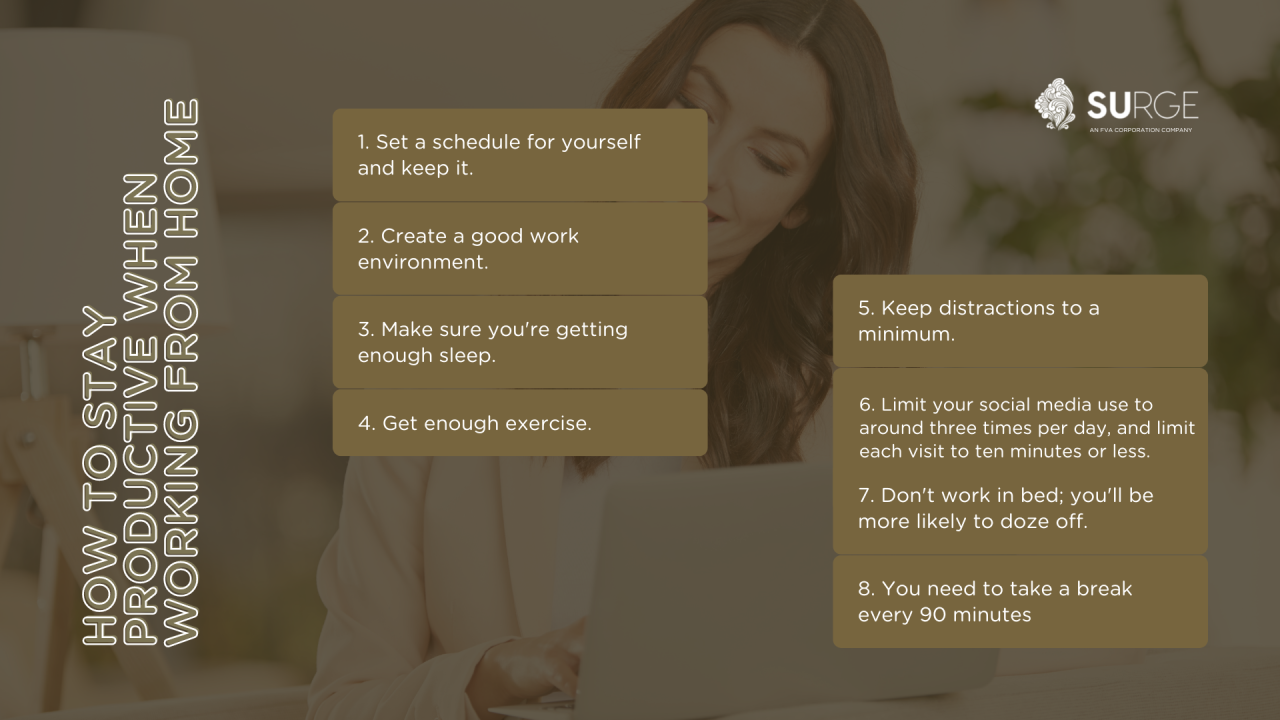
Establishing a dedicated and well-organized workspace at home is crucial for maintaining focus, maximizing productivity, and ensuring ergonomic well-being. A thoughtfully designed environment minimizes distractions and fosters a professional atmosphere, even within the comfort of your residence.
Creating an optimal home office involves careful selection of furniture, strategic layout planning, and environmental adjustments that promote concentration and comfort. When these elements are aligned, working from home becomes not only more productive but also more enjoyable and sustainable over the long term.
Organizing a Dedicated Workspace with Ergonomic Furniture and Proper Lighting
A productive home workspace begins with choosing ergonomic furniture that supports good posture and reduces physical strain. A comfortable, adjustable chair with lumbar support, paired with a desk of appropriate height, helps prevent back and neck issues. Additionally, incorporating a spacious and stable desk surface allows for organized work materials and prevents clutter.
Proper lighting plays a vital role in maintaining alertness and reducing eye strain. Natural light is preferable; position your desk near windows to maximize daylight exposure. When natural light is insufficient, supplement with adjustable task lighting, such as LED desk lamps that provide focused illumination without glare. Ensure ambient lighting is soft yet sufficient to create a balanced visual environment.
Step-by-Step Guide to Declutter and Optimize Surroundings for Productivity
Creating an efficient workspace requires systematic decluttering and thoughtful optimization. Follow these steps to transform your home office into a productive hub:
- Clear the desk surface of unnecessary items, leaving only essential tools like your computer, notepad, and writing instruments.
- Designate specific zones within the workspace for different activities, such as a reading corner or filing area.
- Organize supplies and documents using storage solutions like drawers, shelves, or desktop organizers to maintain a tidy environment.
- Remove distractions by turning off notifications on devices and using noise-canceling headphones if necessary.
- Incorporate personal touches that motivate you, such as plants or artwork, while ensuring they do not overwhelm the space.
- Regularly review and re-evaluate the layout to adapt to changing needs and improve workflow.
Maintaining cleanliness and order not only boosts efficiency but also creates a calming atmosphere that encourages focus and reduces stress.
Sample Layout for a Versatile Home Office
| Zone 1 | Zone 2 | Zone 3 | Zone 4 |
|---|---|---|---|
| Workstation: Adjustable ergonomic desk and chair positioned near natural light. Place monitor at eye level to reduce neck strain. | Storage Area: Shelves and drawers for organizing documents, supplies, and personal items, keeping the workspace uncluttered. | Meeting/Collaboration Space: Small table or open area for virtual meetings or brainstorming sessions, equipped with a whiteboard or corkboard. | Relaxation Corner: A comfortable chair or small couch, plants, or artwork to offer mental breaks and refreshment. |
Ideas for Creating a Motivating and Distraction-Free Environment
An environment that fosters motivation and minimizes distractions is essential for sustained productivity. Consider the following strategies:
- Personalize your workspace with inspiring quotes, photographs, or artwork that uplift your mood and reinforce your goals.
- Implement soundproofing measures, such as rugs, curtains, or white noise machines, to reduce external noise disturbances.
- Use organizational tools like cable management systems and desktop trays to keep the area tidy and free of clutter.
- Set boundaries with household members to designate specific working hours, minimizing interruptions.
- Utilize productivity techniques such as the Pomodoro Technique or task batching to maintain focus and structure your work periods effectively.
- Maintain a consistent routine, including start and end times, to create a sense of normalcy and professionalism within your home environment.
By thoughtfully designing your workspace and environment, you create a setting that not only enhances your efficiency but also nurtures your well-being and work satisfaction.
Time Management Strategies
Effectively managing time is a cornerstone of maintaining productivity while working from home. Without the structured environment of an office, employees must adopt deliberate strategies to track their work, prioritize tasks, and ensure they meet deadlines. Setting clear goals for each work session not only enhances focus but also provides a sense of accomplishment, motivating continued effort throughout the day.
Implementing proven time management techniques can help create a balanced workflow, reduce procrastination, and prevent burnout.
Several methods have gained popularity for optimizing work sessions in remote settings. Techniques such as the Pomodoro Technique, time blocking, and task batching each offer unique advantages suited to different work styles and task complexities. Choosing the right approach and applying it consistently can significantly improve efficiency and help maintain a healthy work-life balance in a home environment.
Time Tracking and Goal Setting
To maximize productivity, it is essential to monitor how time is spent and set specific, measurable goals for each period of work. This practice provides insight into work habits, highlights areas for improvement, and ensures that priorities are addressed systematically. Effective goal setting fosters accountability and clarifies expectations for individual work sessions, leading to better time utilization.
- Identify Key Tasks: List the most critical activities that need completion within a set timeframe.
- Allocate Time Slots: Assign specific durations to each task based on its complexity and priority.
- Use Tracking Tools: Utilize digital timers, calendars, or time-tracking apps to record work periods and breaks.
- Review and Adjust: At the end of each session or day, evaluate progress and adjust goals or time allocations as needed.
Popular Techniques for Managing Work Time
Several structured approaches can help work from home professionals stay on track. Each method offers a unique framework for managing tasks, reducing distractions, and maintaining focus. Understanding their core principles allows individuals to select and adapt techniques that best fit their routines and workload.
Pomodoro Technique
This method involves breaking work into focused intervals, typically 25 minutes long, called “Pomodoros,” followed by short breaks of 5 minutes. After completing four Pomodoros, a longer break of 15-30 minutes is taken. The approach aims to enhance concentration and prevent fatigue.
- Set a timer for 25 minutes.
- Work on a single task without interruptions.
- When the timer rings, take a 5-minute break.
- Repeat this cycle four times, then take a longer break.
Time Blocking
Time blocking involves dividing the workday into distinct segments dedicated to specific tasks or categories of work. This method encourages deep focus by allocating uninterrupted periods for high-priority activities and minimizes task-switching that can reduce efficiency.
- Identify key tasks or projects for the day.
- Assign fixed time periods to each task, considering their urgency and importance.
- Use digital calendars or planners to visually block these periods.
- Stick to the schedule closely, adjusting as necessary for unforeseen tasks.
Task Batching
Task batching consolidates similar activities to minimize transition time and maximize focus. For instance, responding to emails, making phone calls, or data entry are grouped into designated sessions, reducing the cognitive load associated with switching between different types of tasks.
- Group similar tasks together based on their nature.
- Allocate specific blocks of time for completing each group.
- Prepare all necessary resources before starting a batch.
- Focus solely on the batch during the assigned period, avoiding multitasking.
Weekly Task Planner Illustration
Implementing a visual weekly planner can greatly enhance task organization and time management. Below is an example of a simple, effective format for a four-column weekly planner, designed to clearly Artikel tasks, priorities, deadlines, and notes:
| Day | Tasks | Priority | Notes |
|---|---|---|---|
| Monday | Complete project report | High | Deadline noon |
| Tuesday | Team meeting, client follow-up | Medium | Prepare agenda |
| Wednesday | Research and data analysis | High | Focus on Q3 trends |
| Thursday | Update website content | Low | Review latest feedback |
| Friday | Weekly review and planning | Medium | Reflect on accomplishments |
Minimizing Distractions and Staying Focused

Maintaining concentration while working from home presents unique challenges, as the environment is often filled with interruptions and distractions. Effectively managing these disruptions is essential for productivity and work quality. Developing strategies to mitigate common home distractions, balancing household responsibilities with work tasks, establishing clear boundaries with family or roommates, and utilizing focus-enhancing tools can significantly improve your ability to stay engaged and accomplish your goals efficiently.
Distractions at home can vary widely—from household chores and family interruptions to digital notifications and environmental noise. Recognizing these sources of disruption and implementing targeted strategies allows remote workers to create a conducive work atmosphere. By thoughtfully managing household responsibilities, setting firm boundaries, and leveraging technology, you can foster a focused work environment that promotes sustained productivity throughout the workday.
Identifying and Mitigating Common Home Distractions
Understanding typical distractions enables remote workers to develop specific countermeasures to maintain focus. These disruptions often include household chores, family members seeking attention, social media notifications, and environmental noise, which can all divert attention from work tasks. Recognizing these early signs of distraction allows for proactive management, reducing their impact on productivity.
- Household Chores and Errands: Interruptions caused by the urge to clean, do laundry, or attend to other home responsibilities can break concentration. Scheduling dedicated times for chores outside working hours or during breaks helps contain these distractions.
- Family or Roommate Interruptions: Unscheduled visits or demands from family members can disrupt workflow. Communicating your work schedule clearly and setting boundaries ensures minimal interruptions during focused periods.
- Digital Distractions: Social media, email alerts, and instant messaging can fragment attention. Turning off non-essential notifications during work blocks reduces temptation and helps maintain immersion in tasks.
- Environmental Noise: Noises from household activities, traffic, or neighbors can interfere with concentration. Using noise-canceling headphones or playing ambient sounds can mitigate this issue effectively.
Strategies for Managing Household Responsibilities Alongside Work Tasks
Balancing household duties with professional obligations requires intentional planning and boundary-setting. Implementing structured routines and designated work zones can help distinguish work time from personal responsibilities, reducing stress and improving focus.
- Schedule Household Tasks: Allocate specific times during the day for chores or errands, preferably during natural breaks or after work hours, to prevent them from encroaching on productive periods.
- Create a Dedicated Workspace: Establish a specific area solely for work to mentally separate professional tasks from household activities and personal life.
- Use Visual Cues: Signage or signals indicating “work in progress” can inform household members to avoid interruptions, fostering mutual respect for work boundaries.
- Communicate Expectations: Clearly inform family members or roommates about your work schedule and the importance of minimizing interruptions during certain hours.
Practical Tips for Creating Boundaries with Family or Roommates
Setting boundaries is crucial for maintaining focus and respecting each other’s needs in shared living environments. Clear communication, physical separation, and agreed-upon routines help create an atmosphere conducive to productivity.
- Designate Specific Work Hours: Establish and communicate fixed working hours, ensuring family or roommates know when you are unavailable for non-urgent matters.
- Physical Boundaries: Use a dedicated workspace with a door or visual barrier to signal when you are working and to prevent unintentional disruptions.
- Use Visual Indicators: Implement simple signals such as a “Do Not Disturb” sign or a specific light to indicate when you’re engaged in focused work.
- Schedule Family Time: Allocate quality time outside of work hours to build understanding and reinforce boundaries, reducing the likelihood of interruptions during work periods.
Focus-Enhancing Tools and Apps to Block Distractions
Technology offers powerful solutions to help minimize digital distractions and foster focus. Utilizing specialized tools and apps can help you stay on task by blocking or limiting access to distracting websites and notifications during designated work periods.
| Tool/App | Description | Features |
|---|---|---|
| Freedom | A distraction blocker that allows customization of blocking sessions across multiple devices, including websites and applications. | Schedule recurring sessions, block specific sites/apps, and create custom blacklists/whitelists. |
| StayFocusd | A Chrome extension designed to limit time spent on distracting websites. | Set daily limits, block sites after time is up, and create custom block lists. |
| Forest | An app that encourages focused work by growing virtual trees during designated intervals. | Gamifies focus sessions, with rewards for sustained periods of concentration, and can block distracting apps. |
| Cold Turkey | A robust distraction blocker for Windows and Mac that enforces focus periods. | Block websites, applications, and schedule recurring focus sessions with strict enforcement. |
| RescueTime | Tracks digital activity to provide insights into productivity patterns and identify distractions. | Set goals, receive distraction alerts, and analyze time spent on various tasks and websites. |
Implementing these tools not only curtails digital distractions but also fosters disciplined work habits essential for productive remote work.
Maintaining Motivation and Mental Well-being

Working from home offers flexibility and comfort but also presents unique challenges in sustaining motivation and ensuring mental health remains robust. Establishing techniques that foster a positive mindset, healthy routines, and self-awareness can significantly enhance productivity and overall well-being. By actively nurturing these aspects, remote workers can create a balanced environment conducive to sustained success.
Addressing motivation and mental health involves setting clear, achievable goals, integrating wellness practices into daily routines, and recognizing early signs of burnout. Implementing these strategies helps maintain enthusiasm, reduces stress, and promotes resilience in the face of work-related pressures.
Setting Achievable Goals to Maintain Motivation
Breaking down larger objectives into smaller, manageable tasks fosters a sense of accomplishment and keeps motivation high. Specific, measurable, attainable, relevant, and time-bound (SMART) goals serve as effective benchmarks, providing clarity and direction. Regularly reviewing progress and celebrating milestones, no matter how small, reinforces a sense of achievement and encourages continued effort. For remote workers, visual tools like progress charts or task lists can serve as motivating reminders of ongoing accomplishments and future objectives.
Incorporating Breaks, Physical Activity, and Mindfulness Practices
Integrating regular breaks and wellness activities into the workday is essential for mental clarity and physical health. Short, frequent breaks—such as a five-minute pause every hour—help prevent fatigue and maintain focus. Physical activity, whether through stretching, walking, or home workouts, boosts circulation, releases endorphins, and reduces stress levels. Mindfulness practices like meditation, deep breathing exercises, or guided imagery enhance mental resilience, improve concentration, and foster emotional balance.
Dedicating even a few minutes daily to these activities can profoundly impact overall well-being and work performance.
Weekly Wellness Checklist
A structured approach to wellness encourages consistency and accountability. The following checklist offers practical steps to promote mental and physical health throughout the week:
- Set clear, achievable weekly goals: Define priorities and track progress systematically.
- Schedule daily breaks: Incorporate 5-10 minute pauses every hour to recharge.
- Engage in physical activity: Dedicate at least 150 minutes weekly to movement, such as walking, yoga, or home workouts.
- Practice mindfulness: Allocate 10-15 minutes daily for meditation or breathing exercises.
- Maintain social connections: Regularly connect with colleagues, friends, or family to foster support and reduce feelings of isolation.
- Monitor mental health: Be attentive to signs of stress or fatigue; seek support when needed.
- Reflect and adapt: End each week with a review of what worked and areas for improvement.
Recognizing Signs of Burnout and Strategies to Prevent It
Burnout manifests as emotional exhaustion, reduced motivation, and a decline in work performance. Common signs include persistent fatigue, irritability, difficulty concentrating, and feelings of detachment from work. Recognizing these symptoms early enables proactive intervention, reducing long-term negative impacts on mental health.
Preventive strategies involve maintaining work-life boundaries, ensuring adequate rest, and engaging in activities outside of work that bring joy and relaxation. Establishing a structured daily routine, prioritizing tasks, and practicing self-compassion are vital components of burnout prevention. Seeking professional support when symptoms intensify can provide additional coping mechanisms and guidance, fostering resilience and sustaining productivity in a remote work environment.
Effective Communication and Collaboration

Working remotely requires intentional strategies to maintain clear and efficient communication within teams. As team members are often dispersed across different locations, establishing robust communication practices is essential to ensure project success, foster engagement, and uphold accountability. Effective communication not only facilitates seamless collaboration but also helps in building trust and maintaining a cohesive team environment despite physical distances.Clear, consistent, and purposeful communication is the backbone of productive remote work.
It ensures that everyone remains informed, aligned with project goals, and engaged in their responsibilities. Integrating best practices for virtual meetings, organizing shared resources efficiently, and maintaining an active communication rhythm can significantly enhance team cohesion and operational efficiency.
Best Practices for Virtual Meetings and Team Updates
Virtual meetings are a primary touchpoint for team interaction in a remote setting. To maximize their effectiveness, it is vital to establish clear protocols that foster engagement and productivity.
- Schedule meetings with specific agendas and distribute them in advance to allow attendees to prepare.
- Limit meeting durations to maintain focus; typically, 30 to 60 minutes suffices for most team updates.
- Use video conferencing to promote face-to-face interaction, which enhances communication cues and builds rapport.
- Encourage participation from all members by inviting input and facilitating open discussions.
- Record meetings when appropriate, providing access to those who could not attend and for future reference.
- Assign roles such as a moderator or timekeeper to keep discussions on track and ensure all topics are covered efficiently.
Organizing Project Documentation and Shared Resources
Efficient management of project documentation is crucial in remote work environments, enabling easy access and version control for all team members.
- Utilize centralized cloud-based platforms (such as Google Drive, SharePoint, or Dropbox) to store files and documents.
- Develop a logical folder structure that categorizes documents by project, task, or team member to streamline navigation.
- Maintain consistent naming conventions for files and folders to facilitate quick retrieval.
- Implement permissions carefully, granting access only to relevant team members to protect sensitive information while ensuring transparency.
- Regularly review and update shared resources to prevent outdated information from causing confusion.
- Encourage team members to document meeting notes, action items, and decisions directly within shared files for transparency and accountability.
Communication Schedule Template
A well-structured communication schedule helps establish regular touchpoints and keeps team members aligned. Below is an example template using an HTML table with four columns:
| Frequency | Meeting Type | Participants | Agenda/Notes |
|---|---|---|---|
| Weekly | Team Check-in | All team members | Progress updates, blockers, priorities |
| Bi-weekly | Project Review | Project stakeholders, team leads | Milestones, deliverables, deadlines |
| Monthly | One-on-One | Manager and individual team member | Performance, feedback, personal development |
| As Needed | Ad-hoc Meetings | Relevant team members | Specific issues, urgent topics |
Maintaining Team Engagement and Accountability
Sustaining motivation and accountability in a remote environment requires deliberate effort and strategic initiatives.
- Set clear expectations and define measurable goals for each team member to foster ownership of tasks.
- Use project management tools (like Asana, Trello, or Jira) to assign responsibilities, track progress, and visualize workloads.
- Recognize achievements publicly through team shout-outs or virtual awards, reinforcing a culture of appreciation.
- Schedule regular check-ins beyond formal meetings to discuss challenges, provide feedback, and offer support.
- Encourage open communication channels such as instant messaging platforms (Slack, Microsoft Teams) to facilitate quick queries and informal interactions.
- Foster social interactions through virtual coffee breaks, informal chats, or team-building activities to strengthen relationships and boost morale.
- Establish accountability protocols, including progress reports and deadlines, and address issues promptly to ensure project timelines are met.
Leveraging Technology and Tools
In the modern remote work environment, effectively utilizing technology and digital tools is pivotal to maintaining productivity, organization, and seamless collaboration. By integrating the right applications and workflows, individuals can streamline their tasks, improve communication, and achieve their goals efficiently, even outside a traditional office setting.
Choosing appropriate tools and optimizing their use allows remote workers to overcome common challenges such as task overload, miscommunication, and disorganized workflows. This section explores essential digital tools, strategies to organize digital workflows, a comparative overview of popular productivity apps, and insights into automation and integrations that enhance remote work efficiency.
Essential Digital Tools for Task Management, Communication, and File Sharing
Effective remote work heavily relies on a suite of digital tools designed to facilitate task organization, foster communication, and enable secure file sharing. These tools help create a cohesive digital workspace that keeps everyone aligned and productive.
- Task Management: Tools like Asana, Trello, and Microsoft To Do enable users to create, assign, and track tasks visually. These platforms support task prioritization, deadlines, and progress updates, reducing confusion and ensuring accountability.
- Communication: Platforms such as Slack, Microsoft Teams, and Zoom foster real-time messaging, video conferencing, and team collaboration. They help maintain clear communication channels and reduce misunderstandings.
- File Sharing and Storage: Cloud-based services like Google Drive, Dropbox, and OneDrive provide secure and accessible storage options, allowing team members to share documents, collaborate in real time, and maintain version control.
Organizing Digital Workflows for Maximum Efficiency
Structured digital workflows are essential to manage tasks systematically and prevent information overload. An organized workflow ensures that projects move seamlessly from initiation to completion while keeping all team members synchronized.
Start by establishing a clear process for task intake, categorization, and prioritization. Use project management tools to create boards, lists, or categories that reflect different stages of work. Implement standardized naming conventions and folder structures for files, making retrieval straightforward. Regularly review workflows to identify bottlenecks or redundancies, and adapt tools or processes accordingly. Automating repetitive tasks, such as notifications or status updates, further reduces manual effort and minimizes errors.
Comparison Table of Popular Productivity Apps with Features and Pricing
| App | Core Features | Pricing Options |
|---|---|---|
| Asana | Task assignment, project timelines, workload view, integrations | Free basic; Premium starting at $10.99/user/month; Business at $24.99/user/month |
| Trello | Kanban boards, checklists, deadlines, Power-Ups for integrations | Free; Standard at $5/user/month; Premium at $10/user/month |
| Microsoft Teams | Chat, video meetings, file sharing, Office 365 integration | Included with Office 365 subscriptions; Business Basic at $5/user/month |
| Google Workspace | Gmail, Drive, Docs, Calendar, Meet, Collaboration tools | Business Starter at $6/user/month; Business Standard at $12/user/month |
| Slack | Real-time messaging, channels, integrations, file sharing | Free; Standard at $6.67/user/month; Plus at $12.50/user/month |
Utilizing Automation and Integrations for Enhanced Productivity
Automation and integration capabilities are transforming digital workflows by reducing manual effort and ensuring seamless data flow between tools. By leveraging these features, remote workers can focus more on high-value tasks instead of repetitive administrative activities.
“Automation is about creating effective workflows that do the work for you, saving time and reducing errors.”
Most productivity tools support integrations with other applications, enabling workflows such as automatically creating tasks from email, updating project statuses based on completed actions, or syncing calendars across platforms. For example, integrating Slack with Asana allows notifications to be sent directly into communication channels whenever tasks are updated, ensuring the team stays informed in real-time.
Automation tools like Zapier, IFTTT, and native app features enable setting up workflows that trigger actions across multiple platforms. For instance, a new file uploaded to Dropbox can automatically be backed up to Google Drive, or a completed task in Trello can trigger a notification in Slack. These integrations create a cohesive digital ecosystem that minimizes manual coordination, accelerates project timelines, and enhances productivity.
Last Point
In conclusion, maintaining productivity while working from home requires deliberate effort and strategic planning. By creating an ideal workspace, managing your time wisely, and leveraging technology, you can achieve your professional goals without sacrificing your well-being. Embrace these practices to thrive in your remote work journey and enjoy a more balanced, fulfilling work life.