Mastering remote team collaboration is essential in today’s interconnected work environment. It involves adopting strategic communication, building trust, utilizing suitable tools, and establishing clear policies to ensure productivity and cohesion across geographically dispersed teams.
This comprehensive guide explores best practices for effective remote collaboration, offering practical insights into communication strategies, team engagement, technology selection, performance management, policy development, and overcoming common challenges to foster a successful remote work culture.
Effective Communication Strategies for Remote Teams
Maintaining clear, consistent, and efficient communication is vital for the success of remote teams. Unlike traditional office settings, remote work relies heavily on digital platforms, making the establishment of effective communication protocols essential. Implementing appropriate strategies ensures that team members stay aligned, informed, and engaged, despite geographical distances.
To optimize remote collaboration, organizations must adopt a structured approach to communication. This involves choosing suitable tools, setting clear norms, and establishing regular communication routines. By doing so, teams can reduce misunderstandings, foster transparency, and build a cohesive working environment.
Methods to Facilitate Clear and Consistent Communication Across Digital Platforms
Effective communication across digital platforms requires deliberate effort and thoughtful selection of tools tailored to team needs. Utilizing a mix of synchronous and asynchronous communication methods allows teams to balance immediacy with flexibility, accommodating different time zones and work schedules.
Encouraging the use of standardized formats for updates, reports, and inquiries enhances clarity. For example, adopting templates for status updates or project summaries ensures consistency. Moreover, utilizing features like read receipts and acknowledgments within communication tools confirms message receipt and understanding, reducing potential miscommunications.
Regular training or onboarding sessions about best practices in digital communication can empower team members to utilize tools effectively. Clear protocols on when to use specific channels—such as instant messaging for quick questions versus video calls for complex discussions—support streamlined communication processes.
Techniques for Establishing Communication Norms and Frequency
Consistency in communication is achieved by establishing explicit norms and routines that guide team interactions. Setting expectations on response times, meeting schedules, and the appropriate use of channels helps create a predictable and organized workflow.
Implementing daily or weekly stand-up meetings, for instance, fosters regular check-ins and keeps everyone updated on progress and obstacles. Additionally, defining norms for email etiquette, responsiveness, and documentation ensures professionalism and clarity across all interactions.
It is equally important to adapt communication frequency to project phases and team dynamics. During critical project milestones, more frequent updates may be necessary, whereas during stable periods, reduced check-ins can prevent meeting fatigue. Using shared calendars and scheduling tools promotes transparency regarding availability and planned communication times.
Comparison of Communication Tools and Their Best Use Cases
Choosing the right communication tools for specific purposes enhances team efficiency and minimizes confusion. Different platforms offer unique features suited for particular types of communication. The table below provides an overview of common tools, their key features, and optimal use cases:
| Tool | Key Features | Best Use Cases |
|---|---|---|
| Slack | Real-time messaging, channels for topics, file sharing, integrations with other apps | Quick team chats, ongoing discussions, informal updates |
| Microsoft Teams | Video conferencing, persistent chat, document collaboration, calendar integration | Video meetings, collaborative document editing, formal communication |
| Zoom | High-quality video calls, webinars, screen sharing, breakout rooms | Virtual meetings, client presentations, training sessions |
| Asynchronous communication, detailed messaging, attachments | Formal communication, documentation, sharing detailed information | |
| Asana/Trello | Task management, project tracking, deadlines, collaboration features | Project coordination, progress monitoring, task assignments |
“Utilizing a combination of communication tools aligned with team needs enhances clarity and responsiveness in remote collaboration.”
Building Trust and Team Cohesion Remotely

In remote work environments, establishing and maintaining trust is crucial for fostering a cohesive and productive team. Without physical proximity, teams must intentionally implement strategies that promote transparency, reliability, and camaraderie. Building trust not only enhances collaboration but also boosts morale and employee engagement, leading to sustained team performance.
Effective remote team cohesion hinges on consistent communication, shared goals, and activities that nurture personal connections. By integrating structured trust-building procedures and engaging team members through specialized exercises, organizations can cultivate an environment where each member feels valued, connected, and committed to collective success.
Procedures to Foster Trust Through Virtual Activities
Creating a foundation of trust in remote teams requires deliberate efforts that encourage openness, accountability, and mutual respect. Implementing virtual trust-building activities can significantly improve team dynamics over time.
- Regular One-on-One Meetings: Schedule consistent individual check-ins between team members and managers to discuss challenges, achievements, and personal development. These sessions foster transparency and personal connection.
- Shared Digital Platforms: Utilize collaboration tools like Slack, Microsoft Teams, or Asana to facilitate transparent communication, project updates, and quick feedback loops. Open channels ensure everyone has access to necessary information and feel included.
- Virtual Recognition and Appreciation: Recognize team members publicly during meetings or through digital shout-outs to reinforce trust and appreciation for their contributions.
- Transparent Goal-Setting: Clearly articulate team objectives and individual roles using shared documents or project management tools. Transparency in expectations builds confidence and accountability.
- Open Forums and Feedback Sessions: Organize regular forums where team members can share ideas, concerns, and feedback in a safe environment, fostering mutual respect and understanding.
Methods to Maintain Team Engagement and Foster a Sense of Belonging
Keeping remote teams engaged and instilling a sense of belonging are ongoing processes that involve intentional interaction and community-building efforts. These methods help sustain motivation and reduce feelings of isolation among team members.
- Virtual Social Events: Host informal gatherings such as online coffee breaks, happy hours, or themed trivia sessions that allow team members to interact on a personal level outside of work topics.
- Collaborative Projects and Brainstorming Sessions: Encourage participation in projects that require collective input, fostering a shared sense of purpose and ownership.
- Shared Experiences and Personal Check-Ins: Incorporate activities like virtual tours of personal workspaces or sharing personal stories to build empathy and understanding.
- Recognition Programs: Implement peer recognition initiatives, such as ‘Employee of the Month’ or ‘Kudos Boards,’ to celebrate achievements and reinforce community bonds.
- Consistent Communication Rituals: Establish daily or weekly team stand-ups and check-ins to keep everyone aligned and connected.
Team-Building Exercises Suitable for Remote Environments
Engaging in team-building exercises tailored for remote settings fosters interpersonal relationships, enhances communication skills, and cultivates trust. These activities can be adapted to fit different team sizes and dynamics, ensuring they remain enjoyable and effective.
| Exercise | Description | Benefits |
|---|---|---|
| Virtual Icebreaker Games | Activities like “Two Truths and a Lie” or “Show and Tell” where team members share fun facts or personal items via video calls. | Breaks down social barriers, encourages personal sharing, and fosters initial trust. |
| Online Escape Rooms | Teams collaborate to solve puzzles and escape virtual scenarios within a set time, promoting problem-solving and teamwork. | Enhances communication, strategic thinking, and collective problem-solving skills. |
| Skills Swap Sessions | Participants teach each other a skill or hobby via scheduled virtual workshops, such as cooking, coding, or language lessons. | Builds appreciation for diverse talents and encourages knowledge sharing. |
| Storytelling Rounds | Team members share personal stories based on prompts, fostering empathy and deeper connections. | Strengthens emotional bonds and understanding among team members. |
| Virtual Team Lunches or Coffee Breaks | Scheduled informal video calls where team members chat about non-work topics, replicating casual office interactions. | Creates a relaxed environment to build relationships and improve team cohesion. |
| Recognition and Appreciation Sessions | Dedicated meetings to acknowledge individual and team achievements, encouraging positive reinforcement. | Boosts morale and reinforces trust and loyalty within the team. |
Consistent and intentional team-building practices in a remote environment cultivate trust, engagement, and a strong sense of community, which are essential for long-term success.
Collaboration Tools and Technologies for Remote Work
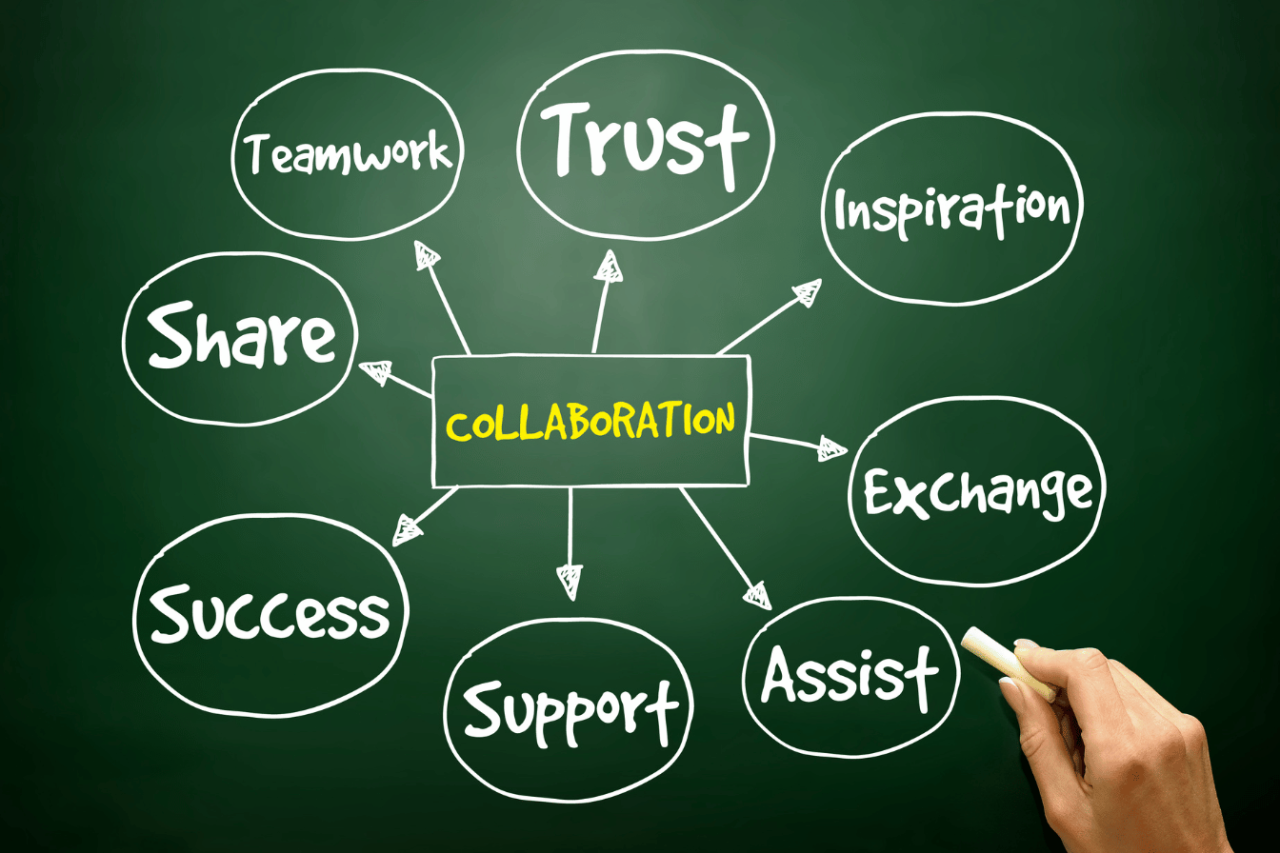
In the evolving landscape of remote work, selecting the right collaboration tools and technologies is essential for maintaining productivity, fostering effective communication, and streamlining project management. These tools serve as the backbone of virtual teamwork, enabling seamless coordination across diverse locations and time zones. Choosing appropriate software not only enhances efficiency but also encourages a collaborative culture that can adapt to the dynamic needs of remote teams.
Effective utilization of collaboration tools involves understanding their features, compatibility with existing workflows, pricing structures, and integration capabilities. This comprehensive approach ensures that remote teams can leverage technology optimally, minimizing disruptions and maximizing output. The following sections explore how to evaluate and select suitable tools, compare popular options, and establish shared digital workspaces that promote transparency and accountability.
Selecting Appropriate Project Management and Collaboration Software
The process of choosing suitable tools begins with a detailed assessment of the team’s specific needs, project complexity, and existing technological infrastructure. Key considerations include the scope of collaboration, required features, user-friendliness, scalability, and budget constraints. It is vital to involve team members in this evaluation to ensure the selected tools meet practical needs and encourage adoption.
Step-by-step approach for selecting collaboration software includes:
- Identify core functionalities needed, such as task management, communication channels, file sharing, and real-time collaboration.
- Research and compile a list of popular tools that offer these functionalities, considering user reviews and industry recommendations.
- Evaluate each option against criteria like ease of use, security features, integration capabilities, and pricing models.
- Request trial versions or demos to assess user experience and compatibility with team workflows.
- Collect feedback from team members after trial periods to gauge usability and effectiveness.
- Make an informed decision based on the collective input, aligning the choice with strategic goals and budget considerations.
Comparative Table of Popular Collaboration Tools
Understanding the features, pricing, and integration options of leading collaboration tools can facilitate informed decision-making. The table below compares some of the most widely used platforms in the remote work environment, highlighting their core capabilities and suitability for different team sizes and needs.
| Tool | Features | Pricing | Integrations |
|---|---|---|---|
| Asana | Task management, timelines, workload view, file attachments, automation | Free basic plan; Premium at $10.99/user/month; Business at $24.99/user/month | Slack, Google Drive, Microsoft Teams, Zapier, Dropbox |
| Trello | Kanban boards, checklists, due dates, attachments, automation | Free; Business Class at $12.50/user/month; Enterprise depends on scale | Slack, Google Drive, Evernote, Jira, Confluence |
| Microsoft Teams | Chat, video conferencing, file sharing, app integrations, task management via Planner | Included with Microsoft 365 subscriptions starting at $5/user/month | SharePoint, OneNote, Outlook, third-party apps via Teams App Store |
| Slack | Real-time messaging, channels, file sharing, voice/video calls, integrations | Free; Standard at $6.67/user/month; Plus at $12.50/user/month | Google Drive, Dropbox, Asana, Trello, Zoom, GitHub |
| Basecamp | To-do lists, message boards, file sharing, schedules, real-time chat | Flat fee of $99/month for unlimited users | Google Drive, Dropbox, Zapier, Slack |
Setting Up Shared Digital Workspaces
Establishing shared digital workspaces is fundamental for fostering transparency and accountability within remote teams. These workspaces serve as centralized hubs for project documentation, communication, and resource sharing, enabling team members to access information effortlessly and collaborate effectively.
Steps to set up shared digital workspaces include:
- Choose a primary platform that aligns with team needs, considering features, user interface, and integration options identified earlier.
- Create organized folder structures and standardized naming conventions to ensure consistency and easy retrieval of files.
- Configure access permissions for team members based on roles and responsibilities to maintain data security and control.
- Integrate relevant tools such as calendar apps, communication channels, and task management features to streamline workflows.
- Invite team members and provide training or guidelines on best practices for using the shared workspace effectively.
- Establish procedures for maintaining and updating content, including version control and regular audits, to keep the workspace current and functional.
Examples include setting up a shared Microsoft Teams or Google Drive environment, where documents, project updates, and communications are seamlessly accessible to all authorized team members, fostering a cohesive and productive remote work environment.
Managing Remote Team Performance and Productivity

Effective management of remote team performance and productivity necessitates a strategic approach that aligns goals, monitors progress, and fosters continuous improvement. In a virtual environment, establishing clear expectations and leveraging appropriate tools are essential for maintaining high performance standards and ensuring that team members remain motivated and accountable.
By implementing structured goal-setting techniques, utilizing digital dashboards, and fostering a culture of constructive feedback, organizations can optimize their remote workforce’s effectiveness. These practices help bridge the physical distance, promote transparency, and support ongoing development, ultimately driving overall organizational success.
Setting Measurable Goals and Tracking Progress Remotely
Establishing measurable objectives provides clarity and direction for remote teams, enabling members to focus on outcomes that align with organizational priorities. Clear, quantifiable goals facilitate performance evaluation and motivate team members through tangible benchmarks.
To ensure goals are effective, they should adhere to the SMART criteria—Specific, Measurable, Achievable, Relevant, and Time-bound. Regularly reviewing these goals supports adaptability and keeps team members aligned with evolving priorities.
Progress tracking involves consistent check-ins and the use of digital tools that provide real-time updates. This approach not only enhances accountability but also enables managers to identify potential issues early and adjust strategies proactively.
“Clear, measurable goals combined with consistent progress tracking are fundamental to maintaining remote team productivity and ensuring accountability.”
Utilizing Digital Dashboards and Performance Metrics
Digital dashboards serve as centralized platforms that aggregate key performance indicators (KPIs) and metrics, offering a comprehensive view of individual and team performance. They enable managers to monitor progress efficiently and make data-driven decisions.
Effective dashboards should be customizable, providing relevant data tailored to each team member’s responsibilities. Common metrics include task completion rates, quality of work, response times, and goal achievement percentages. Real-time visualization of these metrics fosters transparency and accountability.
Regular review of dashboard data facilitates timely feedback and recognizes high performers, as well as identifying areas needing support or improvement. Integrating these tools with project management and communication platforms streamlines workflow and enhances overall productivity.
| Performance Metric | Description | Application |
|---|---|---|
| Task Completion Rate | Percentage of assigned tasks completed within the deadline | Monitoring individual and team efficiency |
| Quality of Work | Assessment based on predefined quality standards or client feedback | Ensuring standards are maintained across deliverables |
| Response Time | Average time taken to respond to communications or requests | Promoting promptness and engagement |
| Goal Achievement Percentage | Proportion of goals met within specified timeframes | Measuring overall progress towards objectives |
Providing Constructive Feedback in a Virtual Setting
Delivering feedback effectively in a remote environment requires a thoughtful and structured approach that emphasizes clarity, empathy, and timeliness. Constructive feedback is vital for continuous improvement and sustaining motivation among team members.
Best practices include preparing specific examples to illustrate points, focusing on behaviors rather than personal attributes, and maintaining a respectful tone. Regular feedback sessions should be scheduled to keep communication consistent and prevent issues from accumulating.
Using digital tools, such as video calls and written performance summaries, ensures that feedback is clear and accessible. Encouraging an open dialogue allows team members to express their perspectives, ask questions, and seek guidance, fostering a culture of trust and growth.
“Effective virtual feedback balances clarity and empathy, fostering growth while strengthening trust within remote teams.”
Establishing Remote Work Policies and Expectations
Effective remote work relies heavily on clearly defined policies that set expectations, foster accountability, and promote a cohesive team environment. Developing comprehensive guidelines ensures that team members understand their roles, responsibilities, and boundaries, which is vital for maintaining productivity and morale in a virtual setting. Establishing these policies not only provides clarity but also helps prevent misunderstandings and conflicts, thereby creating a structured framework for successful remote collaboration.Creating a well-structured remote work policy document involves outlining key areas that address the practical and behavioral aspects of remote work.
A clear policy empowers employees with the information needed to operate independently while aligning their efforts with organizational goals. It also serves as a reference point for managers to monitor compliance and support their teams effectively.Effective remote work agreements are instrumental in fostering accountability and trust among team members. These agreements typically include specific expectations and commitments related to work hours, communication standards, and deliverables, ensuring that everyone is aligned and responsible for their contributions.
Developing Clear Guidelines for Working Hours, Communication, and Deliverables
Establishing explicit parameters around working hours, communication protocols, and deliverables creates a common understanding that enhances team coordination and efficiency. In a remote environment, where informal oversight is limited, clarity in these areas is critical.
Working Hours
Define standard core hours during which team members are expected to be available for meetings and collaborative tasks. Flexibility can be incorporated, but clear boundaries should be set to maintain work-life balance. For example, a policy might specify that employees are expected to be available between 9 a.m. and 4 p.m., with flexibility outside these hours.
Communication Protocols
Specify preferred communication channels (such as email, instant messaging, or video calls), response time expectations, and meeting schedules. Clearly Artikel when to use synchronous versus asynchronous communication to optimize responsiveness and reduce misunderstandings.
Deliverables
Detail expectations for task completion, reporting frequency, and quality standards. Setting measurable objectives and deadlines ensures accountability and aligns team efforts towards organizational goals.
Sample Layout for a Remote Work Policy Document
A structured policy document provides clarity and consistency across the organization. An effective layout might include the following sections:
| Section | Description |
|---|---|
| Introduction | Purpose of the policy and its importance for remote work success. |
| Scope | Applicable roles, teams, and departments covered by the policy. |
| Work Hours and Schedule | Expected working hours, flexibility options, and time zone considerations. |
| Communication Standards | Tools to be used, response times, meeting schedules, and etiquette. |
| Task Management and Deliverables | Standards for task assignment, progress tracking, and reporting formats. |
| Performance Expectations | Metrics for evaluating productivity, accountability, and quality of work. |
| Security and Data Privacy | Guidelines for protecting sensitive information and using company resources securely. |
| Feedback and Policy Review | Mechanisms for ongoing feedback and periodic review of policies. |
Examples of Effective Remote Work Agreements Promoting Accountability
Implementing formal agreements that detail responsibilities and expectations solidifies commitment and accountability within remote teams. Examples include:
“Team Member Responsibilities: I agree to be available during the designated core hours of 9 a.m. to 4 p.m., respond to communications within 24 hours, and complete assigned tasks by the agreed deadlines. I will maintain regular check-ins with my manager and update project management tools accurately to reflect my progress.”
“Manager Expectations: I will provide clear task descriptions, maintain consistent communication, and hold bi-weekly one-on-one meetings to review progress and address concerns. I will also recognize achievements and provide constructive feedback to support team development.”
“Accountability Clause: All team members agree to uphold the company’s remote work policies, adhere to the agreed-upon work hours, and communicate proactively regarding any deviations or challenges that may impact deliverables.”
Such agreements serve as formal commitments that foster transparency, reinforce accountability, and align individual performance with organizational objectives, thereby contributing to a productive and harmonious remote work environment.
Overcoming Challenges in Remote Collaboration

Effective remote collaboration often encounters specific obstacles that can hinder team productivity and cohesion. Recognizing and addressing these challenges is essential to maintaining smooth workflows and fostering a collaborative environment, regardless of geographical distances. This section explores common issues such as time zone differences and technological hurdles, offers strategies to mitigate misunderstandings, and provides a troubleshooting guide to resolve typical remote collaboration problems efficiently.
Common Obstacles in Remote Collaboration
Remote teams face a range of challenges that can impede communication, coordination, and overall performance. The most prevalent obstacles include time zone disparities and technological issues, which can lead to delays, miscommunications, and frustration if not properly managed.
- Time Zone Differences: When team members operate across multiple time zones, scheduling meetings and real-time collaboration sessions becomes complex. This can result in limited overlap hours, delayed responses, and a lack of immediate feedback, which hampers project momentum.
- Technological Issues: Dependence on digital tools introduces vulnerabilities such as connectivity problems, software incompatibilities, or hardware failures. These issues can disrupt workflows, cause data loss, and create communication gaps.
- Communication Barriers: Virtual communication lacks non-verbal cues, leading to potential misunderstandings. Differences in language proficiency and cultural interpretations further complicate clarity and shared understanding.
- Isolation and Engagement: Remote workers may experience feelings of isolation, which can affect motivation and team cohesion. Lack of informal interactions reduces opportunities for relationship-building.
Strategies to Mitigate Misunderstandings and Miscommunications
Addressing communication challenges requires deliberate strategies that promote clarity, transparency, and inclusivity. Implementing these practices helps prevent misunderstandings and fosters a cohesive remote team environment.
- Establish Clear Communication Protocols: Define preferred communication channels, response time expectations, and documentation standards. Use templates and standardized formats to ensure consistency.
- Leverage Visual Aids and Written Summaries: Supplement verbal discussions with diagrams, charts, and comprehensive meeting notes. These aid in clarification and serve as reference points for all team members.
- Encourage Active Listening and Confirmations: Promote techniques such as paraphrasing and summarizing to ensure understanding. Encouraging team members to ask clarifying questions reduces ambiguities.
- Foster an Inclusive Communication Culture: Create a safe environment where diverse perspectives are valued and encouraged. Be mindful of language barriers and cultural differences that may influence interactions.
Troubleshooting Guide for Remote Collaboration Problems
Proactive troubleshooting minimizes disruptions and maintains productivity. The following structured approach assists teams in identifying, diagnosing, and resolving typical remote collaboration issues swiftly:
| Issue | Possible Causes | Recommended Solutions |
|---|---|---|
| Delayed responses or missed deadlines | Misaligned expectations, unclear priorities, technological delays |
|
| Frequent communication breakdowns | Technical issues, language barriers, lack of clarity |
|
| Team members feeling isolated or disengaged | Limited informal interactions, lack of recognition |
|
| Technical disruptions during meetings | Software incompatibilities, hardware malfunctions |
|
Implementing these strategies and maintaining a proactive troubleshooting mindset enhances remote collaboration effectiveness, ensuring that teams can overcome obstacles and work seamlessly towards shared goals.
Enhancing Creativity and Innovation with Remote Teams
Fostering creativity and innovation in remote teams requires intentional strategies that promote open idea exchange, collaborative problem-solving, and a culture that encourages experimentation. When team members are geographically dispersed, establishing structured yet flexible methods for idea sharing becomes essential to sustain dynamic innovation processes and maintain a competitive edge.
Leveraging virtual collaboration techniques can significantly boost creativity by enabling diverse perspectives and facilitating continuous engagement. Implementing effective brainstorming sessions, organizing participatory online workshops, and employing a variety of collaborative tools can unlock innovative potential and drive meaningful outcomes across remote teams.
Methods to Stimulate Idea Sharing Virtually through Brainstorming Sessions
Structured virtual brainstorming sessions serve as a cornerstone for idea generation in remote settings. These sessions should be designed to maximize participation, creativity, and inclusivity. Using digital whiteboards, real-time polling, and anonymous idea submission options encourages team members to contribute openly without self-censorship.
Effective virtual brainstorming involves clear objectives, time-boxed activities, and a facilitator to manage flow and engagement. Encouraging diverse input from different departments or regions can lead to innovative solutions that might not emerge in traditional settings. Additionally, employing techniques like mind mapping or SCAMPER (Substitute, Combine, Adapt, Modify, Put to another use, Eliminate, Rearrange) can stimulate deeper thinking and broader idea exploration.
Approaches to Organize Online Workshops that Encourage Collaboration
Online workshops designed for remote teams should prioritize interaction, hands-on activities, and real-time feedback. Utilizing breakout rooms allows smaller groups to work on specific challenges, fostering intimacy and detailed discussion. Incorporating collaborative tools such as shared documents, digital sticky notes, and visual templates enhances collective input.
Designing workshops with clear agendas, diverse activities, and opportunities for peer review ensures sustained engagement. Incorporating gamification elements, such as competitive tasks or achievement badges, can motivate participation. Moreover, recording sessions and providing summaries support ongoing innovation efforts by creating repositories of ideas for future reference.
Table of Virtual Collaboration Techniques and Their Outcomes
| Technique | Description | Expected Outcomes |
|---|---|---|
| Digital Brainstorming | Using online whiteboards and real-time idea submission platforms to generate and organize ideas collectively. | Increased volume of ideas, enhanced participation, and diverse perspectives leading to innovative solutions. |
| Virtual Breakout Sessions | Splitting participants into smaller groups for focused discussions during larger meetings or workshops. | Deeper engagement, targeted problem-solving, and increased contribution from quieter team members. |
| Collaborative Document Editing | Real-time editing of shared documents or spreadsheets for idea development and project planning. | Faster consensus-building, transparent workflows, and improved clarity in project objectives. |
| Idea Polling and Voting | Using live polls to prioritize ideas or solutions during or after brainstorming sessions. | Consensus-driven decision-making and efficient identification of promising concepts. |
| Innovation Challenges | Structured competitions with specific innovation goals, encouraging teams to develop solutions within set parameters. | Motivated participation, rapid idea development, and implementation of practical innovations. |
Epilogue

In conclusion, effective remote team collaboration hinges on clear communication, trust, appropriate technology, and well-defined policies. By implementing these strategies, organizations can enhance productivity, boost engagement, and create a cohesive work environment regardless of physical distances. Embracing these practices will prepare teams to thrive in a dynamic remote work landscape.