Securing passwords effectively is essential in today’s digital landscape where data breaches and cyber threats are increasingly common. Proper storage methods not only protect sensitive information but also uphold the integrity of personal and professional data. Understanding the best practices for managing and safeguarding passwords can make a significant difference in preventing unauthorized access and potential security incidents.
This guide explores various strategies for securely storing passwords, including the use of password managers, encrypted storage solutions, and additional security measures such as multi-factor authentication. By implementing these techniques, individuals and organizations can enhance their cybersecurity posture and ensure their information remains protected against evolving threats.
Importance of securely storing passwords
Protecting user credentials is a fundamental aspect of maintaining digital security. Properly securing passwords helps prevent unauthorized access to sensitive information, safeguarding personal data, financial details, and corporate secrets. As cyber threats continue to evolve, the importance of robust password storage methods cannot be overstated in preserving trust and operational integrity.
Weak or insecure storage practices expose systems to increased risks of breaches, which can lead to severe consequences for individuals and organizations alike. Ensuring passwords are stored securely is a crucial step in building a resilient defense against malicious actors seeking to exploit vulnerabilities for financial gain, identity theft, or corporate espionage.
Risks of weak password storage methods
Using inadequate storage methods for passwords significantly heightens the risk of cyberattacks. Common weak practices include storing passwords in plain text, using predictable hashing algorithms, or neglecting to implement salting techniques. These vulnerabilities can be exploited by attackers to retrieve or reverse-engineer passwords, granting unauthorized access to protected systems.
- Plain text storage: Storing passwords without any encryption or hashing makes them immediately accessible to anyone with access to the storage system, including malicious insiders or hackers who breach the database.
- Weak hashing algorithms: Relying on outdated or insecure algorithms like MD5 or SHA-1 allows attackers to perform rapid brute-force or collision attacks, easily revealing original passwords.
- Lack of salting: Omitting unique salts increases the risk that precomputed rainbow tables can be used to crack hashed passwords, compromising multiple accounts simultaneously.
Potential consequences of compromised passwords
When passwords are stored insecurely and subsequently compromised, the ramifications can be severe and wide-ranging. These include not only the loss of sensitive information but also damage to reputation and financial stability.
- Data breaches: Unauthorized access to databases containing personal or corporate information can lead to identity theft, financial fraud, or exposure of confidential data.
- Account Takeovers: Attackers gaining control over user accounts can conduct fraudulent transactions, send spam, or manipulate data, causing operational disruptions.
- Legal and regulatory penalties: Failure to comply with data protection regulations, such as GDPR or HIPAA, resulting from insecure password storage, can lead to hefty fines and legal consequences.
- Loss of trust: Customers and partners may lose confidence in an organization’s ability to protect their data, leading to reputational damage and loss of business opportunities.
Scenarios illustrating secure storage preventing data breaches
Implementing secure password storage practices has proven effective in thwarting cyberattacks and preventing data breaches. Here are some illustrative scenarios:
| Scenario | Outcome with Secure Storage |
|---|---|
| An attacker attempts to breach a company’s database protected by salted, hashed passwords using a strong algorithm like bcrypt. | The attacker faces computationally intensive tasks to reverse the hashes, making it practically impossible to retrieve original passwords, thereby preventing unauthorized access. |
| A hacker exploits a vulnerability in a web application that stores passwords in plain text. | The breach exposes user credentials immediately, risking widespread account takeovers and identity theft, highlighting the importance of secure storage. |
| A malicious actor gains access to a file containing salted hashed passwords stored with bcrypt. | Due to the strength of bcrypt and proper salting, the attacker cannot efficiently crack passwords, protecting user accounts and sensitive data from compromise. |
Implementing strong, salted hashing algorithms for password storage is essential in building resilient defenses against data breaches. Proper techniques turn potentially devastating vulnerabilities into manageable risks, preserving trust and security.
Best Practices for Password Management
Effective password management is crucial in safeguarding personal and professional digital assets. Implementing sound strategies ensures that passwords remain strong, unique, and resistant to unauthorized access. Adhering to these best practices can significantly reduce the risk of security breaches and help maintain overall cybersecurity hygiene.
Proper password management involves creating complex passwords, utilizing technological tools like password managers, and establishing routines for regular updates. This structured approach not only enhances security but also simplifies the process of managing multiple credentials across various platforms.
Creating Strong, Unique Passwords
Developing passwords that are both robust and unique is foundational to secure password management. It prevents attackers from exploiting common or reused passwords across different accounts.
When creating passwords, consider the following comprehensive steps:
- Use a combination of uppercase and lowercase letters, numbers, and special characters to increase complexity.
- Generate passwords that are at least 12 characters long, with longer passwords being more secure.
- Avoid using easily guessable information such as common words, birthdays, or personal details.
- Incorporate random words or phrases that are memorable yet difficult for others to predict.
- Employ techniques like combining unrelated words or using passphrases that form a sentence for enhanced memorability and strength.
Example of a strong password: "G7!t$h8&kLw#pQz3&rM2" — a random string with a mix of character types, or a memorable passphrase like "Bicycle$Sunshine$Eagle!2024".
Benefits of Using Password Managers
Password managers are specialized tools designed to securely store and manage multiple passwords, simplifying the process while enhancing security.
They offer several key advantages:
- Generate strong, random passwords for each account, reducing the temptation to reuse passwords.
- Store passwords in an encrypted vault, protected by a master password that is only remembered by the user.
- Automatically fill login credentials, saving time and minimizing entry errors.
- Enable secure sharing of passwords when necessary, with controls and audit trails.
- Maintain an organized record of password changes and update alerts to keep credentials current.
Using a password manager reduces the cognitive burden of remembering multiple complex passwords and mitigates risks associated with weak or reused credentials.
Regularly Updating Passwords Securely
Periodic updates to passwords are a vital aspect of maintaining ongoing security, especially after a security incident or data breach. Establishing secure routines for updating passwords minimizes vulnerability windows.
Best practices for secure password updates include:
- Change passwords immediately if a breach or suspicious activity is suspected.
- Set personal reminders to review and update passwords at regular intervals, such as every three to six months.
- Avoid abrupt or predictable changes; instead, modify passwords systematically by altering certain characters or adding new elements.
- Use password managers to generate and store updated credentials with ease.
- Ensure that new passwords remain unique and adhere to complexity standards.
When updating passwords, ensure the old password is not reused, and always verify that the change is reflected across all relevant platforms to prevent access issues.
Comparison of Popular Password Managers
Choosing the right password manager depends on factors such as security features, usability, platform compatibility, and cost. The following table compares some of the most popular options based on these criteria:
| Feature | LastPass | Dashlane | 1Password | Bitwarden |
|---|---|---|---|---|
| Security Level | End-to-end encryption; zero-knowledge architecture; biometric unlock | End-to-end encryption; regular security audits; biometric support | End-to-end encryption; security breach monitoring; biometric unlock | End-to-end encryption; open-source transparency; two-factor authentication |
| Platform Compatibility | Browser extension, iOS, Android, Windows, Mac | Browser extension, iOS, Android, Windows, Mac, Linux | Browser extension, iOS, Android, Windows, Mac | Browser extension, iOS, Android, Windows, Mac, Linux |
| Pricing | Free version available; premium plans start at $3/month | Free tier; premium plans start at $4.99/month | Annual subscription around $36; discounts available | Free; Premium plans start at $10/year; open-source option |
| Additional Features | Password sharing, emergency access, security dashboard | Dark web monitoring, VPN included, security breach alerts | Travel mode, biometric unlocking, secure password sharing | Self-hosting options, community-supported, open-source transparency |
Each password manager offers distinct strengths, with features tailored to different user preferences and security needs. Evaluating these options helps in selecting the most suitable tool for secure password management.
Methods for securely storing passwords
Implementing robust methods for storing passwords is crucial in safeguarding sensitive information against unauthorized access. While online password managers and encrypted digital storage solutions offer convenience, the security of stored passwords depends heavily on the chosen method and its implementation. Exploring various secure storage options enables individuals and organizations to select strategies aligned with their security requirements and operational constraints.
Below, we examine different approaches to securely storing passwords, highlighting their mechanisms, benefits, and limitations. Understanding these methods helps in making informed decisions to protect credentials effectively.
Encrypted Digital Storage Solutions
Encrypted digital storage solutions, such as password managers, are designed to securely store passwords by encrypting data with strong cryptographic algorithms. These tools typically use a master password to encrypt and decrypt the stored credentials, ensuring that even if the storage file is compromised, the data remains inaccessible without the master key. Popular password managers like LastPass, 1Password, and Dashlane utilize end-to-end encryption, meaning data is encrypted on the user’s device before transmission and remains encrypted in storage.
Advantages of encrypted digital storage include ease of access, automatic password generation, and synchronization across multiple devices. They also often include features like biometric unlocking, sharing capabilities, and audit reports. However, reliance on a single master password means that if this password is weak or compromised, the entire vault’s security is at risk. Additionally, the security of the service provider and their infrastructure plays a role in overall safety.
Advantages and Drawbacks of Offline Password Storage
Offline password storage involves keeping credentials in physical or locally stored digital formats that do not rely on internet-connected services. This approach ensures that sensitive data isn’t exposed to network vulnerabilities or potential breaches of cloud servers. Offline solutions include writing passwords on paper, storing encrypted files on local drives, or using hardware devices dedicated to password storage.
Advantages of offline storage include complete control over the data, reduced exposure to online hacking threats, and independence from third-party services. However, drawbacks encompass risks of physical damage, loss, or theft of the storage medium. Managing and updating passwords can also be less convenient, increasing the chances of outdated or insecure credentials remaining in use.
Hardware Security Modules and Encrypted USB Drives
Hardware security modules (HSMs) and encrypted USB drives serve as physical devices for storing passwords securely. These devices provide a high level of security through embedded encryption, tamper resistance, and dedicated cryptographic processing capabilities.
- Hardware Security Modules (HSMs): Specialized hardware designed to generate, protect, and manage cryptographic keys. HSMs are often used by organizations for managing digital certificates and critical cryptographic operations, providing a high level of security against physical and logical attacks.
- Encrypted USB Drives: Portable storage devices that incorporate hardware encryption and password protection. These drives allow users to carry encrypted password databases securely, requiring authentication before access. They are suitable for individuals needing physical control over their credentials without relying on cloud solutions.
Setting Up a Master Password for Encrypted Files
Establishing a strong master password is essential for protecting encrypted password files or storage devices. Proper setup involves selecting a complex, unique password that combines different character types and lengths, making it resistant to brute-force attacks. Once chosen, the master password encrypts the entire database or device, acting as the key to access stored credentials.
| Method | Steps | Security Level | Notes |
|---|---|---|---|
| Encrypted File with Master Password |
|
High | Ensure the master password is strong and unique. Regularly update encryption software to patch vulnerabilities. |
| Encrypted USB Drive with Master Password |
|
High | Keep the master password confidential. Avoid exposing the drive to physical threats or environmental damage. |
Using Password Managers Effectively
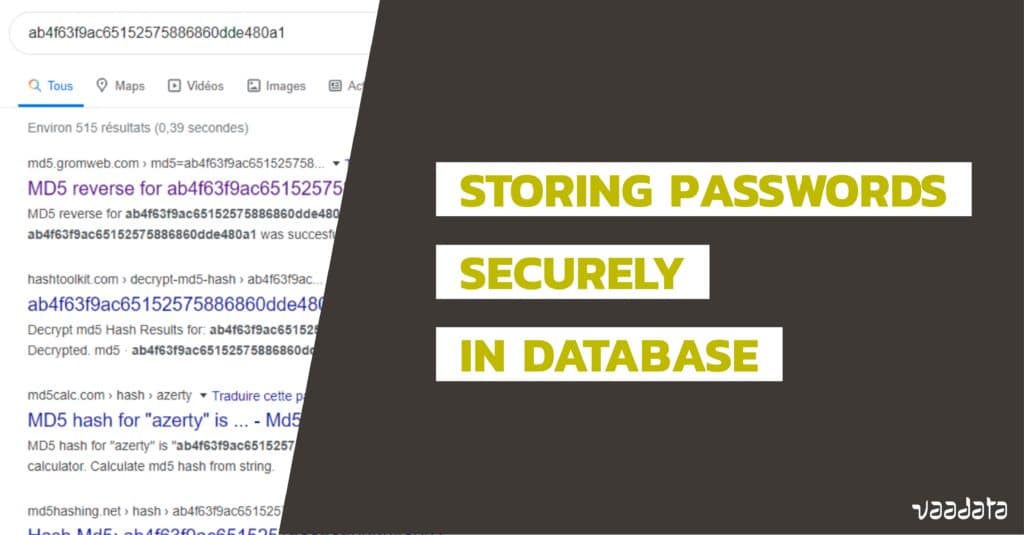
Integrating a reputable password manager into your digital security routine significantly enhances the safety and manageability of your passwords. By understanding how to select, configure, and maintain your password manager, you ensure that your sensitive information remains protected against unauthorized access and potential data breaches.
A password manager acts as a centralized vault that securely stores encrypted passwords, relieving users from the burden of memorizing multiple credentials. Proper utilization involves choosing the right tool, securely importing and backing up data, and enabling additional security layers such as two-factor authentication. This comprehensive approach maximizes the efficacy of your password management system and fortifies your overall cybersecurity posture.
Choosing a Reliable Password Manager
The selection of a password manager should be guided by its security features, user interface, compatibility, and reputation within the cybersecurity community. Reliable providers implement robust encryption algorithms, zero-knowledge architecture, and regular security audits to protect user data.
- Encryption Standards: Ensure the password manager uses strong encryption standards such as AES-256 for data at rest and TLS protocols for data in transit, preventing unauthorized access even if data breaches occur.
- Zero-Knowledge Architecture: Opt for managers that operate on a zero-knowledge basis, meaning the provider cannot access your passwords, only you hold the master password.
- Cross-Platform Compatibility: Choose a manager compatible with your devices (Windows, macOS, Android, iOS) to ensure seamless access and synchronization.
- Security Features: Look for features such as biometric login, emergency access, password auditing, and breach monitoring.
- Reputation and Support: Review user feedback and ensure the provider offers timely support and regular updates to address vulnerabilities.
Importing, Exporting, and Backing Up Passwords
Managing your passwords effectively involves securely importing existing data, exporting for backup purposes, and maintaining reliable backups to prevent data loss. Each process should be executed with security considerations to avoid exposing sensitive information.
- Importing Passwords: Most password managers support importing data from other tools via CSV files or direct integration. Prior to importing, verify that the source file is stored securely and delete it once imported to minimize exposure.
- Exporting Passwords: Exporting data creates a plaintext copy of your passwords. Always perform exports in a secure environment, delete exported files immediately after use, and consider encrypting the file before storing or transferring.
- Backing Up Data: Regular backups safeguard your credentials against device failure or data corruption. Use encrypted external drives or cloud storage services with strong access controls. Ensure backups are up-to-date and stored in multiple secure locations.
Tips for Maintaining Password Database Security
Continual vigilance in managing your password database is essential for maintaining security. Implementing best practices reduces vulnerabilities and enhances protection against potential threats.
- Use a Strong Master Password: Create a complex, unique master password that combines uppercase and lowercase letters, numbers, and special characters, making it resistant to brute-force attacks.
- Enable Two-Factor Authentication: Activate 2FA within your password manager to add an extra layer of security, requiring a second verification step during login.
- Regular Software Updates: Keep your password manager updated to benefit from security patches and new features that address vulnerabilities.
- Limit Access: Avoid sharing your master password or password database with others. Use access controls and permissions if sharing is necessary.
- Monitor for Breaches: Take advantage of breach monitoring features to receive alerts if your stored credentials are compromised in known data breaches.
Configuring Two-Factor Authentication within Password Managers
Two-factor authentication (2FA) enhances security by requiring an additional verification step beyond the master password, significantly reducing the risk of unauthorized access. Configuring 2FA within your password manager involves a clear, step-by-step process.
- Access Security Settings: Log into your password manager and navigate to the security or account settings section.
- Enable 2FA: Select the option to activate two-factor authentication. The system will typically prompt you to choose a 2FA method, such as authenticator apps or hardware tokens.
- Choose a 2FA Method: Most password managers support Time-Based One-Time Password (TOTP) apps like Google Authenticator, Authy, or Microsoft Authenticator. Using an authenticator app is recommended for convenience and security.
- Scan QR Code or Enter Key: The manager will display a QR code. Use your authenticator app to scan the code or manually enter the provided secret key.
- Verify 2FA Setup: Enter the verification code generated by your authenticator app to confirm successful setup.
- Backup Recovery Options: Record recovery codes or set up alternative verification methods to regain access if your primary 2FA device is lost or unavailable.
Implementing these measures ensures that even if your master password is compromised, unauthorized users cannot access your password database without the second factor, greatly enhancing your security profile.
Additional Security Measures
![How to Find Stored Passwords on Windows 10 [4 Quick Ways]](https://ryota.web.id/wp-content/uploads/2025/09/find-stored-password-on-windows-10.png "How to Find Stored Passwords on Windows 10 [4 Quick Ways]")
Ensuring the security of stored passwords extends beyond effective management and storage techniques. Implementing supplementary security measures creates multiple layers of defense, significantly reducing the risk of unauthorized access. By integrating advanced authentication protocols and maintaining diligent review routines, individuals and organizations can bolster their overall cybersecurity posture and protect sensitive information against evolving threats.To foster a comprehensive security environment, it is essential to adopt practices that reinforce password security, safeguard device integrity, and promote vigilant account management.
These measures not only enhance protection but also embed security-conscious habits within daily routines, making breaches less likely and easier to detect early.
Multi-Factor Authentication and Its Role in Password Security
Multi-Factor Authentication (MFA) combines two or more independent verification methods to confirm user identities, providing a robust layer of security beyond just passwords. This approach significantly reduces the risk associated with compromised passwords, as attackers must bypass multiple security barriers to gain access.Implementing MFA involves integrating at least two of the following authentication factors: something you know (password or PIN), something you have (security token, smartphone), or something you are (biometric data such as fingerprint or facial recognition).
Organizations often employ MFA for critical systems and sensitive data, making unauthorized access considerably more difficult even if passwords are compromised.
“MFA is recognized as one of the most effective ways to prevent unauthorized access, reducing the likelihood of security breaches by up to 99.9%,”
according to cybersecurity experts. Regularly enabling and updating MFA settings across all accounts, especially email, banking, and corporate systems, strengthens overall security.
Procedures for Periodically Reviewing and Auditing Stored Passwords
Regular review and auditing of stored passwords are vital to maintaining an effective security environment. Over time, passwords can become outdated, or accounts may accumulate unnecessary credentials that pose potential vulnerabilities. Systematic procedures help identify weak or reused passwords, ensuring that security standards are consistently upheld.Begin with establishing a schedule—such as quarterly or biannual reviews—to assess all stored passwords and account access permissions.
Use trusted password audit tools or password managers with auditing features to evaluate password strength and detect reused or compromised credentials. During this process, update weak passwords and remove unused or obsolete accounts to minimize attack surfaces.Additionally, documenting the review outcomes ensures accountability and continuous improvement. Encourage users to report suspicious activity or potential vulnerabilities immediately, fostering a proactive security culture.
Security Habits to Prevent Unauthorized Access
Maintaining strong security habits is crucial in preventing unauthorized access to passwords and linked accounts. These habits create a resilient defense posture and support compliance with best practices for cybersecurity.Key habits include:
- Using unique, complex passwords for each account to prevent cascade effects from a single breach.
- Enabling multi-factor authentication wherever available, especially for critical services.
- Regularly updating passwords, particularly following security breaches or alerts indicating compromised credentials.
- Hyper-vigilance against phishing attempts by scrutinizing email sources and avoiding clicking on suspicious links or attachments.
- Restricting access to devices and accounts by logging out after use, especially on shared or public computers.
- Implementing strong device passcodes or biometric locks to secure physical access to your hardware.
- Keeping software, operating systems, and antivirus tools up to date to protect against known vulnerabilities.
Best Practices for Securing Devices and Accounts Linked to Password Storage
The security of devices and accounts connected to password management systems is critical to maintaining overall data protection. Securing these endpoints prevents unauthorized access and potential data breaches that can compromise stored credentials.Best practices include:
- Using full-disk encryption on computers and mobile devices to protect stored data in case of theft or loss.
- Enabling automatic software and firmware updates to patch vulnerabilities promptly.
- Installing reputable security software, including antivirus and anti-malware programs, and keeping them current.
- Utilizing strong, unique passwords or biometrics for device access, avoiding default or easily guessable PINs and passwords.
- Restricting physical access to devices through biometric locks or secure storage, especially in shared environments.
- Ensuring secure network connections by using encrypted Wi-Fi with strong passwords and avoiding unsecured public networks when managing sensitive credentials.
- Implementing remote wipe capabilities for mobile devices to erase data in case of loss or theft.
Adopting these supplementary security measures significantly elevates the protection level for stored passwords and associated accounts, safeguarding sensitive information from sophisticated cyber threats and unauthorized access attempts.
Ending Remarks
In conclusion, adopting comprehensive and secure password storage practices is vital in safeguarding digital assets. From selecting reliable password managers to regularly auditing stored passwords and applying multi-factor authentication, each step contributes to a robust defense system. Staying informed and proactive in managing password security will help maintain trust and prevent costly data breaches.