Learning how to use habit tracker apps can significantly enhance your journey toward personal growth and goal achievement. These versatile tools help you establish new routines, monitor progress, and stay motivated by providing clear visual feedback and reminders. Understanding their features and proper setup can make the process more engaging and rewarding, turning habit formation into a seamless part of your daily life.
This guide explores the essential steps of using habit tracker apps—from initial installation and customization to analyzing your progress and maintaining motivation. With practical tips and insights, you’ll be equipped to leverage these apps effectively and create lasting positive habits that align with your personal development objectives.
Introduction to Habit Tracker Apps
Habit tracker applications serve as essential tools for individuals aiming to enhance their personal development and establish consistent routines. By providing a structured platform to monitor daily behaviors, these apps empower users to stay accountable and visualize their progress over time. Whether aiming to cultivate healthier habits, increase productivity, or foster new skills, habit trackers offer a practical solution to reinforce positive changes.
Typically, habit tracker apps include features such as customizable habit lists, daily check-ins, reminders, progress charts, and motivational notifications. Some applications integrate gamification elements to increase user engagement, while others sync with calendars or wearables for a seamless experience. The diversity in functionality caters to a wide range of personal goals and preferences, making habit trackers versatile tools for self-improvement.
Comparison of Popular Habit Tracker Apps
Several habit tracker applications have gained popularity due to their user-friendly interfaces, robust features, and customization options. Here are some of the most widely used apps in the market:
| App Name | Key Features | Platform Availability | Unique Benefits |
|---|---|---|---|
| Habitica | Gamified habit tracking, social community, rewards system | iOS, Android, Web | Encourages motivation through game mechanics and community support |
| Loop Habit Tracker | Simple interface, detailed statistics, flexible habit scheduling | Android | Free and open-source with customizable reminders and streak tracking |
| HabitBull | Multiple habit tracking, motivational quotes, graphs | iOS, Android | Focuses on habit streaks and provides motivational feedback |
| Streaks | Apple Watch integration, habit visualization, customizable routines | iOS | Designed for seamless integration within the Apple ecosystem |
| Coach.me | Personal coaching, habit tracking, community support | iOS, Android, Web | Offers professional coaching for specific goals |
Each app caters to different user preferences, from gamified approaches to straightforward habit tracking. The choice of app often depends on individual goals, platform preferences, and desired features, making it essential to evaluate options based on personal needs.
Setting Up a Habit Tracker App
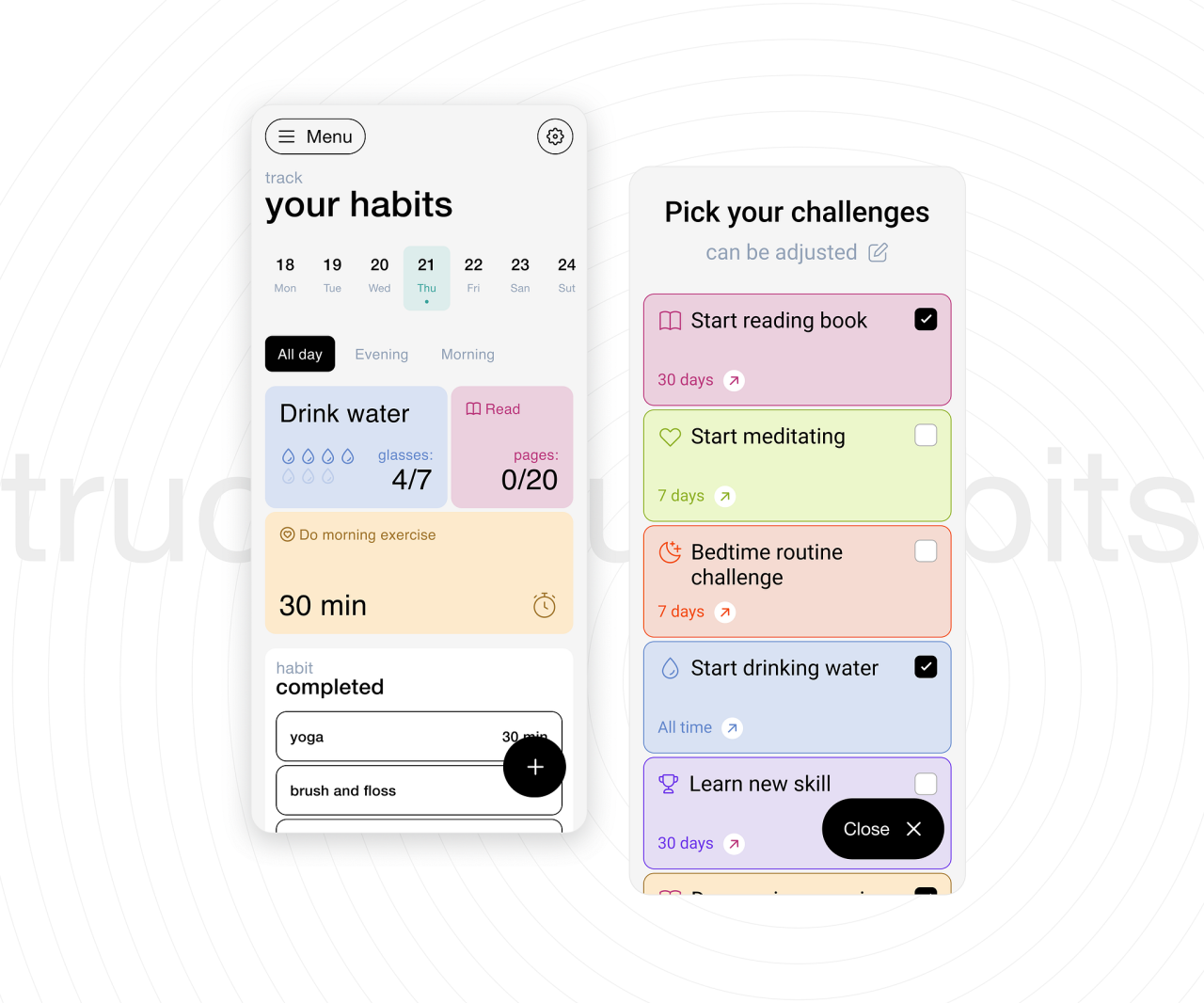
Initiating the use of a habit tracker app involves several essential steps that ensure the tool is tailored to individual goals and preferences. Proper setup not only enhances user experience but also maximizes the potential benefits of habit tracking, such as increased accountability and sustained motivation.
In this section, we delve into the detailed process of downloading, installing, and configuring a habit tracker app across various devices. This includes setting up your user profile, customizing notification preferences, and understanding the onboarding process through a visual flowchart designed for new users, facilitating a smooth transition into habitual practice management.
Downloading and Installing the App on Various Devices
To begin your journey with a habit tracker, it is vital to select the appropriate application compatible with your device. Popular habit tracker apps are available on multiple platforms, including smartphones, tablets, and desktop computers, each offering tailored installation procedures to ensure seamless integration.
Follow these steps to download and install the app effectively:
- Identify the device’s operating system (OS), such as iOS for Apple devices, Android for most smartphones, or Windows/macOS for desktop computers.
- Access the official app store relevant to your device:
- App Store for iOS devices
- Google Play Store for Android devices
- Microsoft Store or Mac App Store for desktop applications
- Use the search function within the app store to locate the habit tracker app by name, ensuring it is from a reputable developer with positive reviews and high ratings.
- Tap or click the “Download” or “Install” button to initiate the download process. The app will automatically be installed on your device once the download completes.
For desktop installations, certain apps may require downloading an installer file from the official website. In such cases, follow these additional steps:
- Visit the official website of the habit tracker app.
- Locate the download link specific to your operating system.
- Download the installer file and follow on-screen instructions to complete the installation process.
Ensuring your device meets the minimum system requirements for the app will prevent compatibility issues and promote optimal performance.
Initial Configuration: User Profile Setup and Notification Preferences
Once the app is installed, customizing your profile and notification settings helps tailor the user experience and ensures that reminders and updates align with your habits and schedule.
Begin with these core configuration steps:
- User Profile Setup: Enter basic personal information such as your name, preferred username, and, if applicable, age or relevant details related to your habits. This personalization fosters a sense of ownership and accountability. Some apps also allow adding profile pictures to enhance engagement.
- Setting Habit Goals: Define the specific habits you wish to develop or maintain. Input details such as habit names, frequency (daily, weekly), and targeted completion times or durations. This initial setup lays the foundation for effective tracking.
- Notification Preferences: Customize how and when you receive reminders. Options typically include push notifications, email alerts, or in-app messages. Consider scheduling notifications at times when you are most receptive, such as mornings or lunch breaks, to ensure consistency without interrupting your routine.
- Synchronization Settings: If the app supports cloud synchronization, link your account with cloud services or email credentials. This allows data backup and cross-device access, ensuring your progress is preserved across multiple platforms.
Adjusting these settings during initial setup enhances user engagement and promotes habitual consistency. Many apps include guided tutorials or onboarding screens that visually walk new users through these steps, often depicted in a flowchart illustrating the sequence from profile creation to notification setup, providing clarity and ease of understanding for first-time users.
Visual Flowchart of the Onboarding Process
To facilitate a clear understanding of the onboarding journey, a visual flowchart is designed to guide new users through each step systematically. This flowchart typically includes the following stages:
| Step | Description |
|---|---|
| Start | Launch the app for the first time, greeted by introductory screens or tutorials. |
| Account Creation | Choose to either sign up for a new account or log in if already registered, providing personal details for profile setup. |
| Profile Customization | Input user-specific information, select avatars, and set initial preferences for habits and goals. |
| Habit Input | Add habits to track, specifying details such as name, frequency, and preferred time of day. |
| Notification Settings | Configure alerts and reminders to fit your schedule, choosing notification types and timings. |
| Synchronization & Final Review | Connect to cloud services if available, and review all settings before completing onboarding. |
| Begin Habit Tracking | Start using the app daily, monitoring progress and adjusting settings as needed. |
This structured onboarding process, illustrated visually, ensures users transition smoothly into habit tracking, fostering confidence and motivation from the outset. It emphasizes clarity, ease of use, and personalization, which are critical for long-term engagement and success.
Creating and Customizing Habits
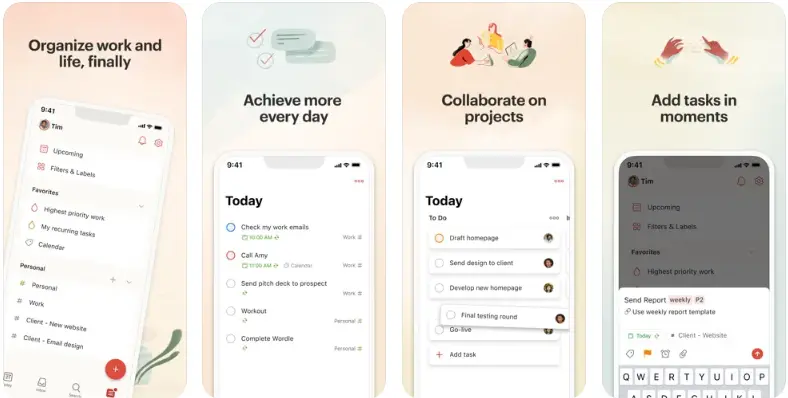
Developing effective habits requires not only the identification of desired behaviors but also tailoring them to fit individual routines and goals. Customization within habit tracker apps allows users to personalize their tracking experience, ensuring higher engagement and better success rates. By creating habits with specific parameters, users can align their daily activities with their long-term objectives and stay motivated through organized reminders and progress monitoring.Customizing habits involves selecting appropriate frequencies, setting reminders, and defining specific parameters that suit one’s lifestyle.
This process enhances clarity, accountability, and consistency, which are essential for establishing lasting habits. Whether aiming to drink more water, exercise regularly, or practice mindfulness, personalized routines facilitate sustained commitment and measurable growth.
Adding New Habits with Customizable Parameters
Introducing new habits into a tracker app involves a systematic process that enables users to specify various parameters according to their preferences. Typically, this includes setting the habit’s name, choosing its frequency—such as daily, weekly, or specific days—and configuring reminders to prompt consistent action. Many apps also allow users to assign categories or tags for better organization and review.To add a habit, navigate to the “Add Habit” feature within the app.
Enter a meaningful habit name, for example, “Morning Meditation,” and select the desired frequency, such as “every day” or “Monday, Wednesday, Friday.” Enable reminders by choosing specific times that fit your daily schedule, like 7:00 AM each morning. Additional customizable options may include setting a streak goal or attaching notes to specify details or motivational quotes.
Habit Types and Tracking Routines
Understanding different habit types enables users to tailor their routines more effectively. Below is a table illustrating common habit categories and suggested tracking routines:
| Habit Type | Suggested Tracking Routine |
|---|---|
| Physical Activity | Track daily workouts, with options for duration or intensity; aim for at least 30 minutes per session, five days a week. |
| Nutrition | Monitor meals, water intake, or specific nutrients like fiber or protein; record at each mealtime or daily tally. |
| Mental Wellbeing | Record mindfulness sessions, journaling, or reading habits; set reminders for morning or evening practices. |
| Sleep | Track bedtime and wake-up times; aim for 7-9 hours of sleep, with progress monitored weekly. |
| Productivity | Log work sessions, task completions, or breaks; establish daily or weekly goals for consistent productivity. |
Setting Specific Goals for Each Habit
Defining clear, measurable goals within the app enhances focus and provides motivation. When establishing a new habit, consider setting a target that aligns with your overall objectives, such as “Meditate for 10 minutes daily” or “Drink 2 liters of water every day.” Many apps allow users to specify these goals during habit creation, making it easier to track progress and celebrate milestones.Using the app’s goal-setting features, you can set both short-term and long-term objectives.
For instance, a user may aim to complete 20 consecutive days of journaling, then expand to a monthly goal. These specific goals are often accompanied by visual progress indicators, encouraging continued effort. Regularly reviewing these goals helps maintain accountability and adapt routines as needed to optimize success.
Tracking and Monitoring Progress
Maintaining an effective habit tracking routine involves not only recording daily activities but also consistently monitoring progress over time. This process provides valuable insights into your habits, enabling you to identify patterns, celebrate successes, and address areas needing improvement. Efficient tracking methods and insightful visual representations are essential components of a successful habit management system, guiding you toward sustained personal growth and achievement.Progress monitoring in habit tracker apps leverages various tools that make it easier to visualize your journey, stay motivated, and adjust your strategies as needed.
These features transform raw data into meaningful information, fostering a deeper understanding of your behaviors and long-term commitment.
Techniques to Log Daily Habit Completion Efficiently
Logging daily habit completion accurately and with minimal effort ensures consistency and reduces the risk of missing entries. The following techniques optimize your logging process:
- Utilize quick-entry features: Many apps offer quick tap options, such as checkboxes or swipe gestures, enabling users to mark habits as complete with just a few taps.
- Set daily reminders: Notifications prompt you to log habits at scheduled times, reducing forgetfulness and maintaining consistency.
- Leverage repetitive entries: Pre-saved habit templates or recurring prompts streamline the process, especially for habits that are performed routinely at the same time each day.
- Use automation where available: Some apps support integrations with wearable devices or calendars to automatically log specific habits, such as steps taken or meditation sessions.
- Establish a habit-tracking routine: Dedicate a specific moment each day, perhaps after waking or before bed, to review and log your habits, making it a part of your daily routine.
Ensuring ease of logging encourages regular updates and reduces the likelihood of gaps in your data, which is crucial for accurate progress assessment.
Visual Progress Representations: Charts and Streak Counters
Visual tools translate numerical data into comprehensible and motivating representations. Incorporating charts and streak counters into your habit tracking regimen can significantly enhance your understanding and motivation:
- Progress Charts: Line graphs or bar charts display your daily or weekly completion rates, illustrating trends and fluctuations over time. For example, a bar chart might show that you completed your reading habit 6 days a week, with a dip over weekends.
- Streak Counters: These counters track consecutive days of habit achievement, serving as powerful motivators. Visual streak indicators, such as a fire icon or numbered streaks, encourage continuous effort. For instance, maintaining a 30-day meditation streak can reinforce the habit’s importance and your dedication.
- Calendar Views: Monthly or weekly calendars highlight days when habits were completed, making it easy to spot patterns, gaps, or periods of inconsistency at a glance.
The combination of these visual tools sustains motivation by providing immediate feedback and tangible evidence of your efforts.
Reviewing Weekly and Monthly Habit Reports
Regular review of your habit reports allows for meaningful assessment and informed adjustments. Habit tracker apps typically offer detailed weekly and monthly summaries that help you analyze your progress comprehensively:
- Access the reports through dedicated sections or dashboards within the app, where data visualizations are often accompanied by summaries and insights.
- Compare your current performance against previous weeks or months to identify persistent challenges or improvements. For example, if your exercise habit shows a declining trend, you may need to reassess your schedule.
- Identify patterns such as specific days with lower completion rates, enabling targeted strategies like adjusting your routine or adding motivation on those days.
- Evaluate streaks and consistency to understand long-term commitment and determine if you need to set new goals or milestones.
- Use insights from these reports to celebrate your achievements and motivate continued effort, reinforcing positive habits and addressing obstacles proactively.
By systematically reviewing these reports, you transform raw data into actionable insights, supporting your ongoing habit development journey.
Utilizing Reminders and Notifications
Effective use of reminders and notifications can significantly enhance the consistency and success of your habit-forming journey. Properly configured alerts ensure that you stay on track by prompting you at optimal times, reducing the risk of forgetting or neglecting your habits. Leveraging these tools allows for a seamless integration of habit tracking into your daily routine, making habit formation both manageable and consistent.
By customizing reminders and notifications within your habit tracker app, you can create a supportive environment that gently nudges you toward your goals. Synchronizing these alerts with your device’s calendar and adjusting notification settings based on your lifestyle ensures that prompts are timely and unobtrusive, fostering sustained engagement with your habits.
Configuring Reminders and Alerts for Habits
Establishing effective reminders involves a systematic approach to setting alerts that align with your daily schedule and personal preferences. Follow these steps to optimize reminder configuration:
- Access Reminder Settings: Open your habit tracker app and navigate to the specific habit you wish to receive reminders for. Locate the notifications or reminder section within the habit’s settings menu.
- Set Specific Reminder Times: Choose a time that corresponds with when you plan to perform the habit. For instance, if your goal is to meditate in the morning, set the reminder for early morning hours, such as 7:00 AM.
- Customize Repeat Frequency: Decide whether reminders should recur daily, weekly, or on specific days. This ensures consistency and accommodates your routine variations.
- Enable Sound and Vibration: Activate notification sounds and vibrations to increase the likelihood of noticing the alert, especially when you are engaged in other activities.
- Test the Reminder: Save your settings and verify that the notification appears as intended, adjusting if necessary for clarity and timing.
Synchronizing App Notifications with Device Calendars
Integrating your habit tracker notifications with your device’s calendar allows for a unified scheduling experience and prevents overlapping alerts. This synchronization creates a cohesive view of your commitments and habits, enhancing your ability to plan effectively.
To synchronize notifications:
- Access Calendar Integration Settings: Within your habit tracker app, locate the option to connect or sync with your device’s calendar application, such as Google Calendar or Apple Calendar.
- Authorize Access: Grant necessary permissions to enable the app to read and write events on your calendar, ensuring seamless synchronization.
- Create Calendar Events for Habits: When setting up reminders, opt to add corresponding events or alerts directly to your calendar, specifying time and recurrence. For example, a habit to read before bed can be linked to an evening calendar event at 9:00 PM.
- Configure Notification Alerts: Ensure calendar events are set to trigger notifications. You can customize alert times to precede the event, such as a 10-minute reminder before your habit time.
- Review and Adjust Sync Settings Regularly: Periodically verify that synchronization functions correctly, adjusting permissions or settings as your schedule evolves or if you change devices.
Best Practices for Adjusting Notification Settings
Maximizing the effectiveness of reminders involves fine-tuning notification settings to suit your habits and daily rhythm. Implementing these best practices can help prevent notification fatigue and maintain motivation:
- Limit the Number of Daily Alerts: Avoid overwhelming yourself with excessive notifications. Select only the most critical habits for reminders, and allow other habits to serve as self-reminders or natural cues.
- Choose Optimal Reminder Times: Schedule alerts during periods when you are most receptive, avoiding times of high distraction or fatigue. For example, a midday reminder for a hydration habit might be more effective than late-night alerts.
- Adjust Notification Tones and Vibrations: Use distinctive sounds or vibrations for important reminders to differentiate them from less critical alerts, helping to prioritize actions.
- Allow Customization for Weekend or Vacation Days: Modify or suspend notifications during days when your routine changes significantly, preventing unnecessary alerts and maintaining flexibility.
- Utilize Quiet Mode and Do Not Disturb Settings: During meetings or focused work periods, temporarily silence notifications to avoid interruption while scheduling separate reminders for outside those times.
By thoughtfully configuring and managing your reminder and notification settings, you create a personalized and effective system that supports your habit formation efforts. Regular reviews and adjustments ensure that alerts remain relevant and empowering, guiding you steadily toward your goals.
Analyzing Habit Data and Insights
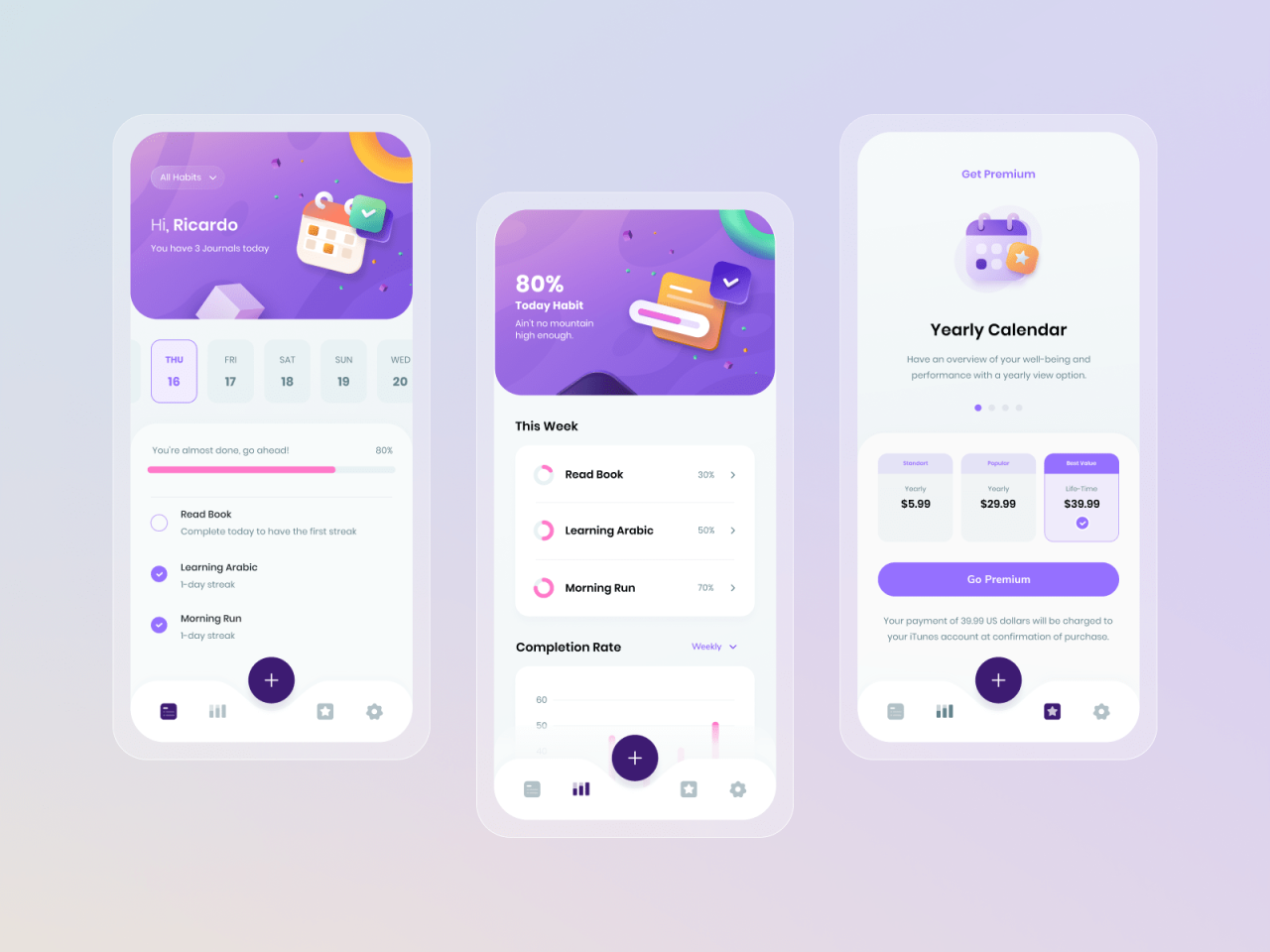
Understanding and interpreting the data collected through habit tracker apps is vital for assessing progress, identifying patterns, and making informed adjustments. Habit tracking not only provides a snapshot of daily activities but also reveals underlying behaviors and trends that can be leveraged to reinforce positive habits or address challenges. Regular analysis ensures that users remain motivated and aligned with their goals, turning raw data into actionable insights that support sustained habit formation.Effective analysis involves examining various metrics and trends over specified periods to gauge consistency, progress, and areas needing improvement.
It enables users to recognize which habits are thriving and which require additional focus or modification. By systematically reviewing habit data, individuals can make strategic decisions to optimize their routines and enhance overall personal development.
Interpreting Habit Tracking Data and Trends
To fully benefit from habit tracking, it’s important to understand how to interpret the collected data. Habit tracking apps typically generate visual representations such as charts, graphs, and summaries that illustrate daily adherence, streaks, and consistency. Analyzing these visuals helps identify recurring patterns, fluctuations, or plateaus in habit formation.For example, a user might notice that their streaks for exercise decrease during busy workweeks, indicating the need for shorter, more manageable routines during stressful periods.
Recognizing such trends allows for proactive adjustments, ensuring habits remain sustainable over time. Additionally, observing seasonal or weekly fluctuations can help tailor strategies, such as varying the time of day for certain activities to maximize adherence.
Key Metrics for Measuring Habit Formation Success
Focusing on specific metrics is crucial for accurately assessing progress in habit formation. These key indicators provide quantifiable insights into how well habits are establishing and becoming ingrained in daily routines:
- Streak Length: Number of consecutive days a habit is maintained, reflecting consistency and commitment.
- Completion Rate: The percentage of days the habit was performed out of the total days tracked, indicating overall adherence.
- Frequency Over Periods: How often a habit is completed within specific time frames (weekly, monthly), showing long-term consistency.
- Progress Toward Goals: Quantitative measures such as distance run, pages read, or weight lifted, depending on the habit’s nature.
- Pattern Recognition: Identifying days or times when habit performance peaks or drops, assisting in optimizing routines.
“Consistent data review and analysis foster a deeper understanding of habits, enabling tailored strategies for sustained success.”
Sample Table Summarizing Habit Progress Over Different Periods
To visualize habit development over time, creating a structured table helps track key metrics across various periods, making it easier to spot trends and evaluate success.
| Habit | Weekly Progress | Monthly Progress | Total Progress |
|---|---|---|---|
| Morning Meditation | 5 days/week, streak of 10 days | 20 days/month, total of 60 days | 80 days over 3 months |
| Exercise Routine | 3 days/week, streak of 15 days | 12 days/month, total of 36 days | 51 days over 3 months |
| Reading Habit | 4 days/week, streak of 12 days | 16 days/month, total of 48 days | 66 days over 3 months |
This table allows users to quickly assess their consistency over different time spans, identify periods of high or low adherence, and set realistic targets for future tracking. By regularly reviewing such summaries, individuals can celebrate milestones, recognize patterns, and adjust their routines to maximize success in habit formation.
Tips for Maintaining Motivation and Consistency
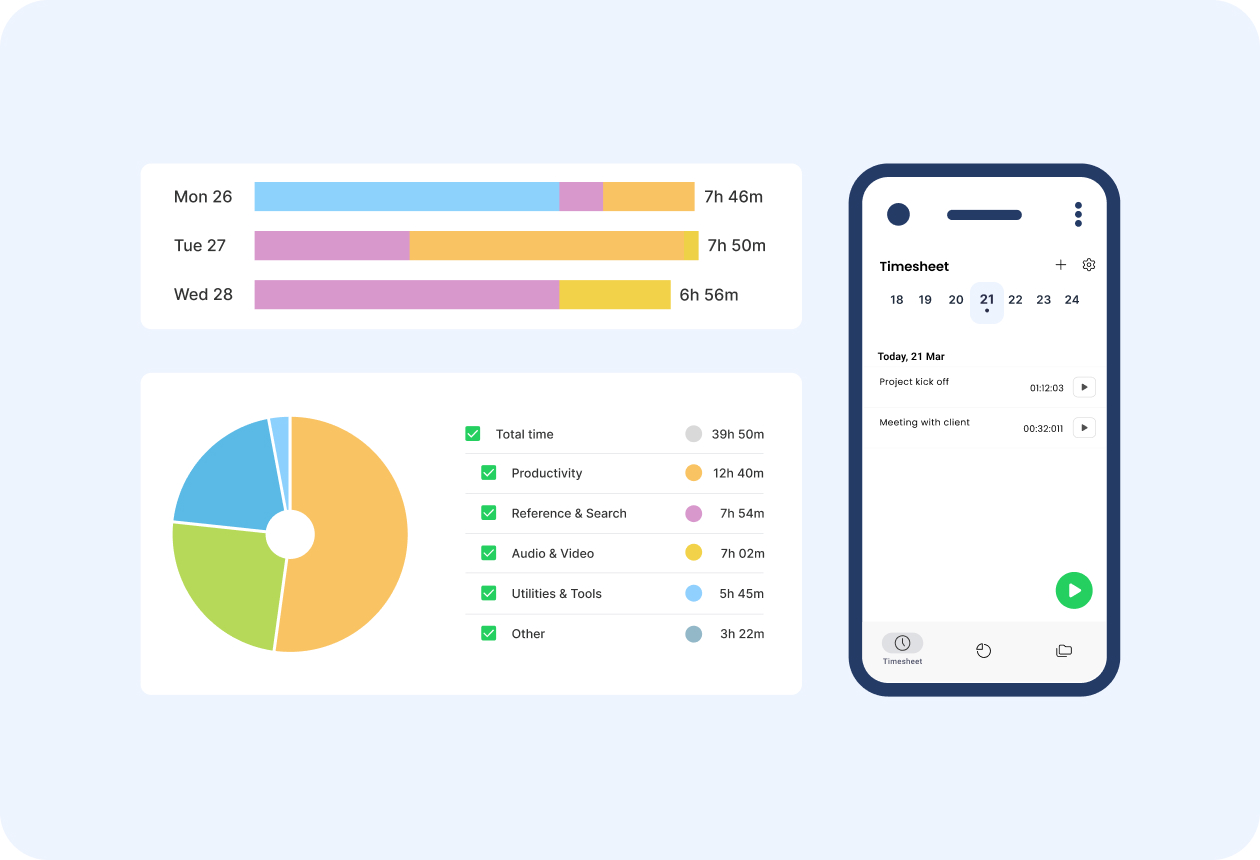
Establishing a new habit is just the beginning; sustaining it over time requires ongoing motivation and consistency. Many users find that their initial enthusiasm wanes, making it essential to adopt strategies that keep their commitment strong. By integrating effective techniques, you can turn a temporary effort into a long-lasting change that enhances your personal and professional life.Maintaining motivation involves not only setting clear goals but also fostering an environment where progress feels rewarding and encouraging.
Consistency, on the other hand, is reinforced through habitual reinforcement mechanisms that make the process seamless and sustainable. Implementing practical methods within your habit tracker app can significantly improve your chances of long-term success.
Setting Realistic and Motivating Habit Goals
Achieving sustainable habits begins with establishing goals that are both challenging and attainable. Setting overly ambitious objectives can lead to frustration and burnout, whereas overly simplistic goals may lack engagement. To optimize motivation, break down larger goals into smaller, measurable steps that provide a clear pathway to success.For example, instead of aiming to exercise for an hour daily immediately, start with a manageable 10-minute walk, gradually increasing duration over time.
Using the habit tracker app, set SMART (Specific, Measurable, Achievable, Relevant, Time-bound) goals to create a balanced plan that fosters steady progress. Regularly reviewing and adjusting these goals within the app helps maintain a realistic outlook and celebrates incremental achievements, fueling ongoing motivation.
Incorporating Reward Systems Within the App
Reward systems are powerful tools for reinforcing positive behavior and encouraging continued engagement with habits. By integrating a rewards mechanism into the habit tracker app, users can experience tangible recognition for their efforts, which boosts intrinsic motivation.Within the app, users can set up personalized rewards that unlock after completing a certain number of habit streaks or milestones. These rewards might include small treats, breaks, or privileges that resonate personally.
For instance, after maintaining a daily meditation habit for 30 days, a user could reward themselves with a favorite activity or a new book. Visual cues such as badges, trophies, or progress bars serve as constant reminders of accomplishments, making the journey more enjoyable and motivating.
Utilizing Visual Progress Cues to Reinforce Habit Adherence
Visual cues play a crucial role in reinforcing habitual behaviors by providing immediate, easily interpretable feedback. They serve as constant reminders of progress and help build a sense of achievement and accountability.Many habit tracker apps feature visual progress cues such as streak counters, color-coded calendars, or progress graphs. For example, a streak counter displaying a continuous chain of successful days visually demonstrates persistence, encouraging users to avoid breaking the streak.
Color-coded calendars allow users to quickly see their consistency over weeks or months, fostering a sense of continuity and commitment.Using visual cues strategically can also help identify patterns and areas needing improvement. For instance, if a user notices gaps in their calendar or fluctuating streaks, they can investigate and address potential barriers. These visual elements make the habit formation process more tangible, empowering users to stay motivated and consistent through clear, motivating visual feedback.
Integrating Habit Tracker Apps with Other Tools
Enhancing the functionality of habit tracker applications through integration with other digital tools significantly boosts their effectiveness. Seamless connectivity allows users to synchronize their habits with daily schedules, fitness routines, and productivity workflows, leading to a more cohesive approach to personal development. These integrations help in automating data entry, providing comprehensive insights, and fostering consistent engagement with habit formation strategies.
By linking habit trackers with calendars, fitness trackers, or productivity platforms, users create a unified ecosystem that streamlines their routines and reinforces positive behaviors. This interconnectedness not only simplifies tracking but also enables more meaningful analysis of habits within the context of other aspects of life, thereby promoting sustained motivation and better results.
Connecting Habit Tracker Apps with Calendars, Fitness Trackers, and Productivity Tools
Establishing connections between habit tracker apps and other tools involves several straightforward procedures, often facilitated through built-in integration features or third-party automation services. The goal is to automate the transfer of relevant data, trigger reminders, or synchronize schedules across platforms for a more holistic view of progress.
Most modern habit apps offer native integration options, allowing users to connect directly with popular calendar services like Google Calendar, Outlook, or Apple Calendar. For fitness tracking, apps such as Fitbit, Apple Health, or Google Fit can be linked to automatically import activity data. Productivity tools like Todoist, Trello, or Notion can also be synchronized to align tasks with habit goals.
The integration process typically includes authorizing permissions for each app, selecting specific data or triggers to sync, and configuring preferences for notifications or updates. Many habit apps provide step-by-step guides within their settings menus, making the process accessible even for non-technical users.
Comparison of Different Integration Options and Their Benefits
Different integration avenues offer unique advantages tailored to varied user needs. Understanding these options helps in selecting the most beneficial setup for individual routines.
- Native App Integrations: Many habit trackers come with built-in options to connect directly with other popular apps. These provide seamless, secure data transfer without additional setup complexity. For example, syncing with Google Calendar allows users to embed habit reminders into their daily schedules effortlessly.
- Third-Party Automation Services: Platforms like IFTTT (If This Then That) or Zapier enable users to create custom workflows that connect multiple apps beyond native options. These services expand compatibility, automate complex routines, and reduce manual input. For instance, automatically logging a workout from Fitbit into a habit tracker or adding a completed task in a productivity app when a habit is achieved.
- APIs and Manual Integration: Advanced users or organizations can use Application Programming Interfaces (APIs) to develop bespoke integrations, ensuring tailored functionality. This approach offers maximum flexibility but requires technical expertise.
Each option enhances habit formation by providing contextual data, reducing manual updates, and reinforcing routines through synchronized notifications or reminders. For example, integrating a fitness tracker with a habit app can automatically update streaks for daily exercise, while calendar integration can help schedule habits within existing routines, minimizing chances of omission.
Examples of Combined Tools Enhancing Habit Formation
Combining habit trackers with other tools creates an ecosystem that amplifies motivation and accountability. For example, a user might connect their habit app with Google Calendar to visualize their habits alongside work meetings and personal appointments. This integration ensures habits are prioritized and scheduled, reducing conflicts and fostering consistency.
Another instance involves linking fitness trackers like Fitbit with a habit app to automatically record daily steps or exercise sessions. This seamless data transfer simplifies progress monitoring and encourages ongoing activity, as users receive real-time feedback and motivation through combined notifications or visual dashboards.
In the productivity domain, integrating habit trackers with task management apps such as Todoist enables users to create habits directly linked to specific tasks. For example, a habit of reviewing daily goals can be tied to a recurring task, ensuring regular reflection and reinforcement of objectives. These combined tools foster a comprehensive approach, aligning habits with broader personal and professional goals.
Troubleshooting Common Issues
Maintaining a habit tracker app effectively requires that the tool functions seamlessly. However, users often encounter various technical issues that can hinder progress and motivation. Addressing these problems promptly ensures a smooth experience and helps sustain consistent habit formation. This section explores typical challenges faced when using habit tracker applications and provides practical, step-by-step solutions to resolve them efficiently.Effective troubleshooting involves understanding the root causes of common issues such as syncing errors, notification failures, or accidental data loss.
By following methodical steps, users can resolve problems without unnecessary frustration and prevent future occurrences through best practices.
Syncing Errors
Synchronization issues can prevent habit data from updating across devices or backing up correctly, leading to inconsistent progress tracking. These errors often stem from network connectivity problems, app permissions, or outdated software.To resolve syncing errors:
- Verify Internet Connection: Ensure that the device has a stable Wi-Fi or mobile data connection. Try accessing other online services to confirm connectivity.
- Check App Permissions: Review app permissions in device settings to confirm the app has access to necessary services like storage, background activity, and internet access.
- Update the App: Ensure you are using the latest version of the habit tracker app. Developers regularly release updates to fix bugs and improve performance.
- Resynchronize Manually: Locate the sync option within the app settings and initiate a manual sync to force data update.
- Restart Devices: Sometimes, simply restarting your device can resolve temporary glitches affecting synchronization.
- If issues persist, contact customer support or consult the app’s help resources for device-specific troubleshooting steps.
Consistent sync issues may indicate underlying network problems or app bugs. Regularly updating the app and maintaining a stable internet connection are key preventive measures.
Notification Failures
Reminders and notifications are crucial for maintaining consistency. When notifications fail to appear, users may forget to log habits or miss scheduled tasks, disrupting their routine.To troubleshoot notification failures:
- Check Notification Settings: Ensure that notifications are enabled both within the app and at the device level. Access device settings and verify that the app has permission to send notifications.
- Review Do Not Disturb Mode: Confirm that the device is not in Do Not Disturb or similar modes that suppress notifications.
- Adjust Notification Timing: Verify that notification schedules are correctly set within the app and that the times are appropriate.
- Update the App and Operating System: Keep both the app and device OS current to avoid compatibility issues that affect notifications.
- Clear App Cache: For Android devices, clearing cached data can resolve notification glitches. Access app info in device settings and select ‘Clear Cache.’
- If notifications still do not appear, uninstall and reinstall the app or contact customer support for further assistance.
Proper notification setup is essential for habit success. Regular audits of notification permissions and settings can prevent interruptions.
Data Loss
Accidental data loss can occur due to app crashes, device issues, or user errors, threatening the continuity of habit tracking and progress monitoring.To recover or prevent data loss:
- Check Backup Options: Many habit tracker apps offer cloud backup features. Verify if backups are enabled and access the backup restore feature in settings.
- Restore from Backup: If backups are available, restore data from the most recent backup to recover lost information.
- Regularly Save Data: Manually exporting data periodically, if the app supports it, provides an additional safeguard against loss.
- Update the App: Using outdated versions increases the risk of bugs that may cause crashes or data corruption. Keep the app current.
- Prevent Device Malfunctions: Regularly update device firmware and perform maintenance to reduce the risk of system crashes.
- If data loss occurs despite precautions, contact the app’s support team with detailed information for specialized recovery assistance.
Proactive backing up and updating are vital strategies to safeguard habit data against unexpected losses.
Troubleshooting Flowchart for Quick Problem Identification
The following Artikels an easy-to-follow process for diagnosing common issues in habit tracker apps:
| Step | Action | Outcome |
|---|---|---|
| 1 | Is the issue related to syncing? | If yes, proceed to check internet and app permissions. If no, move to next step. |
| 2 | Are notifications not appearing? | Verify notification settings and permissions. If yes, troubleshoot notification setup; if no, continue. |
| 3 | Is there evidence of data loss or corruption? | Attempt data recovery via backups or contact support if necessary. |
| 4 | Are problems resolved after updates? | If yes, ensure updates are regularly maintained. If no, escalate to customer support. |
Advanced Features and Customization
As users become more experienced with habit tracker applications, exploring advanced features and customization options can significantly enhance the usability and effectiveness of these tools. Customization allows individuals to tailor the interface and tracking mechanisms to better suit their personal preferences and specific goals, leading to increased motivation and sustained engagement.
Utilizing advanced options such as customizable dashboards, categories, and tags enables a more organized and insightful approach to habit management. By leveraging these features, users can prioritize habits, analyze patterns with greater precision, and maintain a visually appealing interface that encourages consistency.
Customizing Dashboards and Interface Layouts
Most habit tracker apps offer options to personalize dashboards and interface layouts to match individual workflows and aesthetic preferences. Customization may include rearranging widgets, selecting color schemes, and choosing which metrics or habits are displayed prominently. Such flexibility facilitates quick access to the most relevant information and creates a more engaging user experience.
For example, a user focused on health-related habits might prioritize displaying daily step counts, water intake, and sleep quality widgets on the main dashboard. In contrast, someone tracking professional development might prefer a layout emphasizing task completion rates and upcoming deadlines. Custom interfaces can also incorporate motivational images or quotes, making the app more inspiring and aligned with personal values.
Utilizing Advanced Tracking Features like Tags and Categories
Implementing tags and categories within a habit tracker allows for grouping related habits and analyzing cumulative progress across different areas. Tags act as labels for habits, such as “Fitness,” “Learning,” or “Nutrition,” enabling users to filter and view specific segments of their routines easily. Categories can serve as broader classifications that help organize habits into logical groups, improving clarity and focus.
Additionally, some apps support nested tags or multi-level categorization, offering more granular control. For example, under the “Fitness” category, tags like “Cardio,” “Strength Training,” or “Yoga” can be assigned. This structure facilitates detailed insights—for instance, tracking progress in cardio sessions versus strength workouts over time, thereby enabling targeted adjustments to routines.
Designing a Sample HTML Table Layout for Multiple Habits and Their Statuses
Organizing habit data in a clear table format enables users to monitor multiple habits simultaneously and observe their statuses at a glance. A well-structured table should include columns for habit names, categories, current status, completion streaks, and notes for additional context.
Example: An effective habit tracking table could display daily checkmarks, streak counts, and categories, allowing quick visual assessment of progress across various routines.
| Habit Name | Category | Status | Streak | Notes |
|---|---|---|---|---|
| Morning Jog | Fitness | ✔ (Completed) | 15 days | Feels energizing |
| Read 30 Minutes | Learning | ✘ (Missed) | 5 days | Left for work early |
| Drink Water | Health | ✔ (Completed) | 22 days | Good hydration |
| Practice Meditation | Mental Well-being | ✔ (Completed) | 10 days | Relaxing session |
This layout facilitates comprehensive tracking, making it easier to identify patterns, recognize habits needing improvement, and celebrate streaks that motivate ongoing commitment.
Final Wrap-Up
Mastering how to use habit tracker apps unlocks a powerful approach to cultivating meaningful routines and achieving your goals. By utilizing their features for tracking, reminders, and insights, you can sustain motivation and adapt your habits over time. Embracing these tools transforms habit formation from a daunting task into an intuitive and rewarding experience, guiding you toward continuous self-improvement.